A complete 2026 guide to visitor management apps, covering mobile pre-registration, QR check-in, host approvals, push notifications, live tracking, offline resilience, security and implementation.
Visitor management no longer starts only at the reception desk. Visitors can receive an invitation, complete registration, review safety instructions and obtain a secure QR pass before reaching the building. Hosts can approve arrivals from their phones, while reception and security teams maintain a current view of every visitor on site.
A visitor management app connects these activities in one controlled system. It supports mobile pre-registration, contactless check-in, host approval, arrival notifications, digital passes, badge printing, live visitor status, emergency lists and check-out across one or many locations.
This 2026 guide explains how mobile visitor management works, which features matter, how to protect visitor data and what organisations should evaluate before selecting a platform.
What Is a Visitor Management App?
A visitor management app is a mobile-enabled platform used by visitors, employee hosts, receptionists and security teams to manage the complete visit journey. Users may access it through an iOS or Android app, a mobile web link, a tablet, a reception dashboard or a self-service kiosk.
The app should not make security decisions by itself. Approval status, credential validity, permitted location and required checks should be confirmed by the central system whenever a visitor attempts to enter.
Who Uses a Visitor Management App?
Visitors and guests
Visitors use a secure link or app to pre-register, receive directions, accept policies, upload required documents, obtain a QR code, announce arrival and check out. Occasional visitors should normally be able to complete these steps without installing an app.
Employee hosts
Hosts create invitations, approve or reject walk-ins, receive arrival alerts, send instructions, extend visits and confirm check-out. Delegation helps keep arrivals moving when the original host is unavailable.
Reception and security teams
Receptionists and guards view expected arrivals, scan passes, verify approvals, print badges, handle exceptions, monitor active visitors and access emergency visitor lists.
Facility managers and administrators
Managers configure workflows, permissions, retention rules and integrations. They also review visitor volume, approval delays, overstays, missed check-outs and audit records across locations.
Key Benefits of Mobile Visitor Management
- Faster visitor registration and shorter reception queues
- Contactless QR code check-in and digital visitor passes
- Immediate host approval and arrival notifications
- Accurate records of expected, waiting, checked-in and checked-out visitors
- Central visibility across branches, buildings and gates
- Better emergency response through current on-site visitor lists
- Consistent privacy, security and retention controls
- A professional arrival experience for clients, candidates, vendors and contractors
How Mobile Visitor Check-In Works
1. Invitation and pre-registration
The host creates a visit from the mobile app, dashboard, employee directory or calendar integration. The visitor receives a secure link with the date, location, arrival window, directions and required actions.
2. Visitor registration
The visitor enters only the information needed for the visit. Conditional forms can request different details from a client, contractor, delivery driver, interview candidate or patient visitor.
3. Policy and safety review
The visitor reviews privacy notices, safety instructions, confidentiality terms or site rules. The system records completion and can stop check-in when a mandatory step is incomplete.
4. QR code or digital pass
After approval, the platform issues a unique, time-limited QR code or mobile pass. The credential should point to a protected server-side record instead of exposing personal information.
5. Arrival and host approval
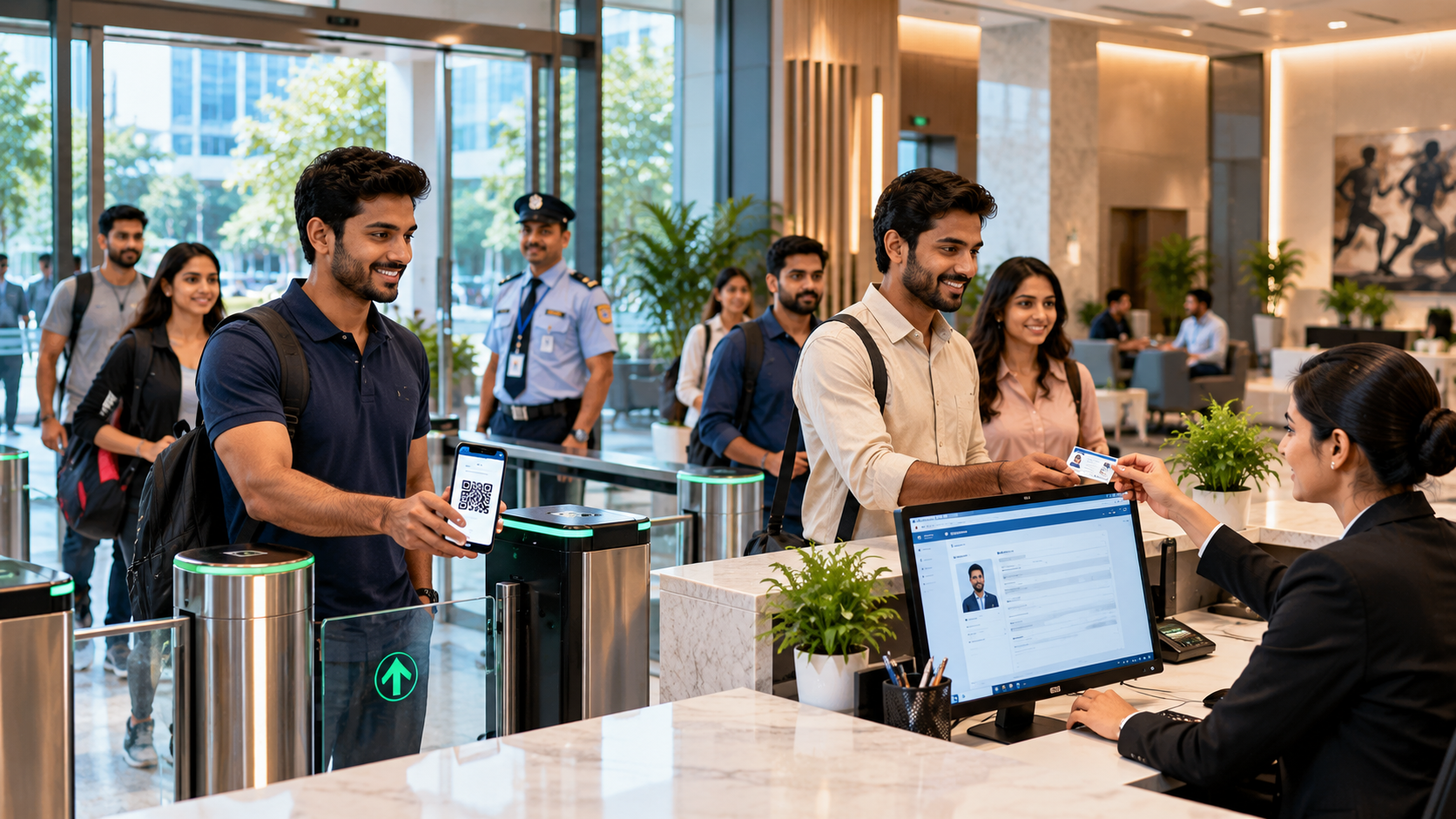
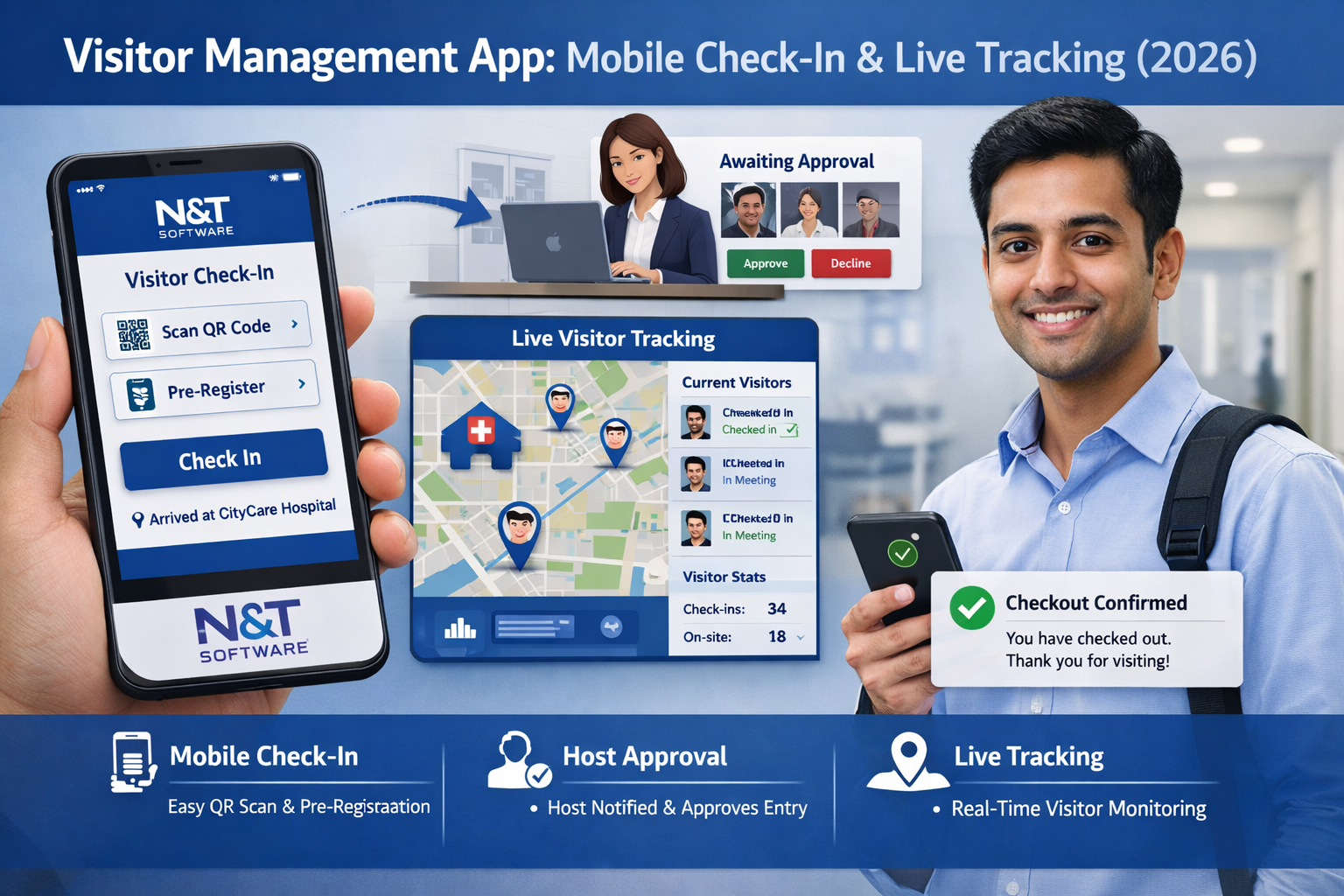
The visitor scans the QR code, taps an arrival button, enters an OTP or checks in with reception. The host can approve, reject, redirect or request more information.
6. Entry, live status and check-out
Once authorised, the visitor receives a badge or temporary credential and appears on the active visitor list. At departure, check-out closes the record and expires access automatically.
Mobile Check-In Options
QR code check-in
QR codes are fast and familiar for scheduled visitors, events and busy offices. Codes should have short validity periods, support immediate revocation and be checked against the latest approval status.
OTP verification
One-time passwords can support walk-ins and phone-based verification without requiring an installed app. Rate limits, expiry, retry controls and delivery-failure handling are essential.
Browser-based mobile check-in
A secure browser link is often the simplest option for occasional guests. Visitors can register, display a pass and announce arrival without downloading software.
Kiosk or assisted check-in
A kiosk or staffed reception remains necessary for walk-ins, visitors without smartphones and situations requiring identity verification or physical badge printing.
Host Approval and Arrival Notifications
A useful approval alert shows the visitor name, organisation, purpose, scheduled time, facility, gate and completed requirements. Sensitive identity numbers or health information should never appear in a lock-screen notification.
If the host does not respond, the system can escalate the request to a delegate, department coordinator, reception supervisor or authorised security role. Approval should expire when a visitor arrives outside the permitted window or changes destination.
Push notifications work well for installed employee apps, while email and SMS provide fallback channels. Alerts should be grouped and deduplicated so repeated scans do not create notification fatigue.
What Is Live Visitor Tracking?
Live visitor tracking means maintaining the current operational status of a visit. It does not necessarily mean continuously tracking a person's GPS location. A privacy-conscious system uses check-in events, badge scans, authorised access events, host actions and check-out records.
- Expected
- Registration incomplete
- Waiting for approval
- Approved or arrived
- Checked in
- Overdue
- Checked out, denied or cancelled
Security teams should be able to filter active visitors by location, gate, host, visitor type and expected departure. Overstay alerts help staff investigate missed check-outs, while emergency mode provides a current list during evacuation or lockdown.
Essential Visitor Management App Features
- Mobile pre-registration and invitation templates
- Secure QR codes, digital passes and badge printing
- Host approval, delegation and escalation
- Push, email, SMS and in-app notifications
- Real-time visitor status and overstay alerts
- Multi-location management with role-based access
- Emergency visitor and contractor lists
- Multilingual and accessible visitor forms
- Audit logs, dashboards and downloadable reports
- Integrations with access control, calendars and directories
Native App vs Mobile Web vs Kiosk
A native mobile app is best for frequent users such as employee hosts and security teams because it supports push notifications, camera scanning, stronger device integration and selected offline functions.
A mobile web app is usually better for visitors because it avoids installation and works through a secure invitation link. It can support registration, QR passes, arrival and check-out on most modern phones.
A kiosk provides a consistent entrance experience for walk-ins and people needing assistance. For most organisations, a hybrid approach works best: mobile web for visitors, authenticated apps or dashboards for staff, and a kiosk or reception option at the entrance.
Visitor Management App Security and Privacy
Visitor platforms may process names, photographs, phone numbers, company details, visit history and access credentials. Security must cover the app, backend APIs, administrative dashboard, notifications and connected access systems.
- Enforce authorisation and credential validity on the server
- Use strong authentication and role-based permissions for staff
- Encrypt data in transit and protect information stored on devices
- Avoid placing personal information inside QR codes or notifications
- Record approvals, overrides, exports, badge reprints and configuration changes
- Apply clear data-retention periods and delete records when no longer required
- Test APIs, mobile applications and integrations regularly
Collect only the information required for security, safety or operations. Continuous GPS tracking is rarely necessary for ordinary visits; gate and zone events are usually more proportionate.
Offline and Low-Connectivity Operation
Facilities with weak connectivity need a defined degraded mode. A guard app may securely queue arrival events or display a limited emergency list, but final approval, revocation and authoritative access decisions should rely on trusted current data whenever possible.
When connectivity returns, the system should synchronise safely, prevent duplicate check-ins, identify conflicts and preserve the time and source of every offline action.
Important Integrations
- Microsoft 365, Google Workspace and calendar systems
- Employee directories and single sign-on
- Access control for temporary doors, gates, lifts and turnstiles
- Badge printers, QR scanners, RFID readers and kiosks
- Email, SMS and push-notification services
- HR, contractor, facility and event-management systems
Visitor Management App Use Cases
Corporate offices
Businesses use visitor apps for clients, candidates, interviews, meetings and multi-tenant buildings. Pre-registration and host alerts reduce reception calls and improve arrival speed.
Hospitals and healthcare facilities
Healthcare sites can manage patient visitors, caregivers, vendors and service personnel with department approvals, visiting-hour rules, badges and restricted-area controls.
Factories, warehouses and industrial sites
Industrial facilities often require safety instructions, contractor documents, gate approval, vehicle details, restricted-zone access and accurate emergency lists.
Schools and universities
Education sites use mobile registration and identity checks for parents, vendors, event guests, contractors and campus visitors while limiting access to authorised buildings.
Visitor Management App Implementation Checklist
- Map every visitor type, entrance, approval route and exception
- Define the minimum information needed for each visitor category
- Select mobile web, native app, kiosk and assisted options by user role
- Configure separate permissions for hosts, reception, security and administrators
- Test late arrivals, rejected visits, lost phones, duplicate scans and outages
- Train staff on overrides, privacy, emergencies and manual fallback
- Start with a pilot location, review results and then expand
Common Mistakes to Avoid
- Forcing every one-time visitor to install an app
- Treating a static QR image as proof of current approval
- Showing sensitive visitor information in push notifications
- Giving staff unnecessary administrator access
- Tracking precise phone location without a clear need
- Ignoring accessibility, multilingual users and visitors without smartphones
- Launching without outage, emergency and manual check-in procedures
How to Choose the Best Visitor Management App
Compare providers using the same real-world scenario instead of relying only on feature lists. Test how quickly a visitor can register, how hosts act on alerts, how guards handle exceptions and how administrators retrieve audit evidence.
- Visitor experience without mandatory app installation
- Flexible approvals, escalation and multi-location permissions
- Secure QR passes, badges and access-control integration
- Current visitor status, emergency lists and offline resilience
- Privacy controls, retention settings and audit logs
- Implementation support, training, uptime and full pricing
Frequently Asked Questions
Do visitors need to download an app?
Not always. A mobile web link is usually easier for occasional guests, while installed apps are more useful for employee hosts, guards and frequent users.
Can visitors check in with a QR code?
Yes. The code should be unique, time-limited and verified against the current server-side visit record before admission.
Can the app print visitor badges?
Yes. Reception or security can trigger badge printing after required approval and identity checks. The platform can also issue mobile passes or temporary cards.
Does live visitor tracking use GPS?
It does not have to. Most organisations can maintain accurate status using check-in, gate, badge, zone and check-out events without continuous GPS monitoring.
Can it work across multiple locations?
Yes. A multi-location platform can apply common standards while allowing branch-specific entrances, forms, approvals, badges, permissions and reports.
Can it integrate with access control?
Yes. Approved visitors can receive temporary access to selected doors, gates or lifts for a defined time, with automatic expiry or immediate revocation.
How much does a visitor management app cost?
Pricing may depend on locations, users, visitor volume, devices, messages, modules and integrations. Compare implementation, hardware, support and renewal costs as well as the subscription.
Industries That Benefit from Visitor Management Apps
N&T Software’s visitor management platform can be configured for different security, compliance and operational requirements across the following industries:
- Corporate offices, business parks and multi-tenant commercial buildings
- Hospitals, clinics, laboratories and healthcare facilities
- Factories, manufacturing plants and industrial facilities
- Warehouses, logistics centres and distribution facilities
- Oil and gas, chemical, pharmaceutical and petrochemical sites
- Schools, colleges, universities and training campuses
- Residential societies, gated communities and apartment complexes
- Hotels, resorts, clubs and hospitality properties
- Government offices, public-sector facilities and defence-related sites
- Data centres, research facilities and other high-security premises
- Construction sites, EPC projects and contractor-controlled workplaces
- Events, exhibitions, malls and high-footfall venues
Each industry can use a different workflow for pre-registration, host or department approval, identity checks, safety instructions, contractor documents, QR passes, badge printing, restricted-zone access, emergency reporting and visitor data retention.
Related Visitor Management Resources
Explore these related guides for planning, implementing and improving a secure visitor management system:
Visitor Sign-In System Guide — Learn about digital registration, check-in workflows and badge printing.
Visitor Badge and QR Pass Guide — Compare visitor badges, secure QR passes and temporary entry credentials.
Visitor Data Privacy and Retention Best Practices — Understand visitor data collection, storage, access and deletion controls.
Cloud vs On-Premise Visitor Management System — Compare deployment, security, maintenance and cost considerations.
Contractor Visitor Management System Guide — Manage contractor documents, gate passes, safety checklists and tracking.
Visitor Management System Implementation Checklist — Follow a practical checklist for planning, testing and rollout.
Best Visitor Management Software Providers 2026 — Review important provider, feature and pricing comparison criteria.
Healthcare Visitor Management System — Explore patient visitor, caregiver, vendor and hospital access workflows.
N&T Software Visitor Management System — Discover QR check-in, host approval, badge printing, notifications, reporting and multi-location visitor management.
Ready to improve visitor security and automate check-in? Contact N&T Software and book a free Visitor Management System demo.
Conclusion
A visitor management app can improve security and visitor experience when mobile convenience is connected to central policy. The strongest solution combines simple registration, secure credentials, fast host approval, real-time status, privacy controls, emergency readiness and reliable integrations.
N&T Software Private Limited provides visitor management solutions for offices, hospitals, factories, warehouses, schools, residential facilities and multi-location organisations. The platform supports visitor registration, QR check-in, badge printing, host notifications, approvals, live visitor records and reporting.