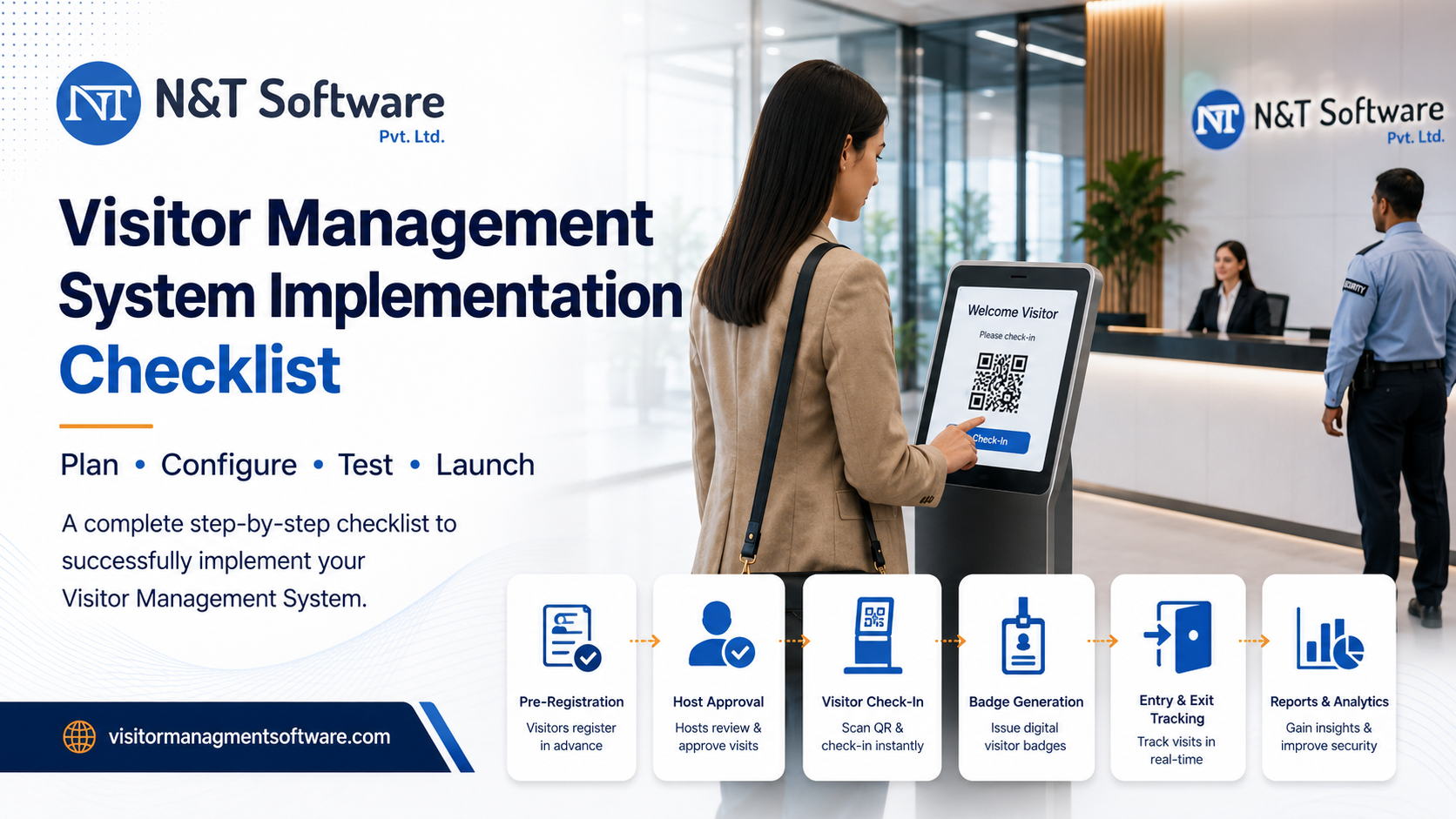
Follow this 15-step Visitor Management System Implementation Checklist for 2026. Plan requirements, visitor workflows, privacy, access control, integrations, testing, training, rollout, cost, timeline and post-launch KPIs.
Implementing a visitor management system is not simply a matter of installing software at the reception desk. A successful implementation requires clear visitor policies, properly designed approval workflows, defined user permissions, security controls, staff training, realistic testing and continuous performance monitoring.
This visitor management system implementation checklist provides a practical, step-by-step framework for corporate offices, manufacturing plants, warehouses, hospitals, schools, colleges, residential properties, government facilities and multi-location organizations.
Whether you are replacing a paper visitor register or upgrading an existing digital visitor check-in system, this guide will help you plan a secure, efficient and scalable rollout.
What Is Visitor Management System Implementation?
Visitor management system implementation is the process of planning, configuring, testing and launching software that controls how visitors register, receive approval, enter a facility, move through authorized areas and check out.
A complete implementation normally includes:
- Visitor registration and verification
- Host notification and approval
- QR code, OTP or assisted check-in
- Visitor pass generation
- Entry and exit tracking
- User roles and permissions
- Safety instructions and document acknowledgement
- Reports, audit trails and dashboards
- Multi-location administration
- Integration with printers, communication tools or access-control systems
The implementation should reflect the organization’s actual visitor flow. A factory handling vendors and contractors will have different requirements from a school managing parents, a hospital controlling patient attendants or an office welcoming clients and interview candidates.
Visitor Management System Requirements and Implementation Checklist
Use this condensed checklist before starting your project:
- Define the objectives of the visitor management project
- Identify every visitor category
- Audit the existing entry and exit process
- Assign implementation owners and responsibilities
- Decide what visitor information must be collected
- Establish privacy and data-retention rules
- Design registration, approval, entry and checkout workflows
- Configure departments, locations, gates and user roles
- Select check-in methods and visitor pass formats
- Plan notifications and third-party integrations
- Configure safety, policy and compliance acknowledgements
- Test normal, exceptional and emergency scenarios
- Train reception, security, administration and host users
- Launch a controlled pilot before organization-wide deployment
- Track performance and continuously improve the process
The following sections explain each step in detail.
1. Define the Goals of the Visitor Management Project
Begin by identifying the problems the organization expects the new system to solve.
Common objectives include:
- Replacing handwritten visitor registers
- Reducing queues at reception or security gates
- Preventing unauthorized entry
- Improving the accuracy of visitor records
- Introducing host-based approvals
- Tracking visitors currently inside the premises
- Creating searchable reports and audit trails
- Improving emergency visitor accountability
- Managing multiple facilities from one dashboard
- Providing a more professional visitor experience
Set clear priorities before evaluating features. A system configured without defined goals may collect information digitally but still fail to improve security or operations.
Your objectives should be specific. Instead of saying “improve visitor management,” define an operational result such as reducing incomplete visitor records, introducing pre-approval for scheduled guests or ensuring every contractor completes a safety acknowledgement before entry.
2. Identify and Categorize Every Visitor Type
Different visitors require different levels of verification, approval and access.
Create a complete list of visitor categories, such as:
- Clients and business guests
- Vendors and suppliers
- Contractors and maintenance personnel
- Interview candidates
- Delivery personnel
- Auditors and inspectors
- Service engineers
- Parents and guardians
- Patient relatives and attendants
- Consultants and temporary workers
- Event attendees
- Government or regulatory representatives
- Employees visiting from another branch
For each category, define:
- Information to collect
- Required documents
- Approval authority
- Permitted entry points
- Allowed visiting hours
- Areas the visitor may access
- Whether a visitor pass is required
- Maximum visit duration
- Checkout requirements
This classification prevents a single generic workflow from being applied to every person entering the premises.
3. Audit the Existing Visitor Process
Document how visitors are currently handled from arrival to departure.
Observe the process during normal hours and peak periods. Speak with receptionists, security guards, facility managers, HR representatives, department heads and employees who regularly host visitors.
Review:
- How visitors announce their arrival
- Where visitor information is recorded
- How hosts are contacted
- Who approves or rejects entry
- How visitor identity is verified
- Whether badges or gate passes are issued
- How entry and exit times are recorded
- What happens when a host is unavailable
- How restricted visitors are handled
- How historical records are searched
- How visitors are counted during emergencies
Identify unnecessary steps, duplicate data entry, delays, missing records and unclear responsibilities. The purpose of implementation is not to digitize a poor manual process. It is to redesign the process so it becomes safer and more efficient.
4. Create an Implementation Team
A visitor management system affects more than the IT department. Successful implementation requires input from every team involved in visitor access.
The implementation team may include:
- Project owner
- Facility or administration manager
- Security representative
- Reception representative
- IT administrator
- HR or compliance representative
- Data privacy representative
- Department or branch representatives
- Software implementation partner
Assign one person to approve final workflows and resolve conflicting requirements.
Also define who will be responsible for:
- System administration
- User creation and deactivation
- Visitor policy updates
- Report access
- Staff training
- Technical support coordination
- Periodic review of visitor records and permissions
Clear ownership prevents the system from becoming unmanaged after launch.
5. Decide What Visitor Information to Collect
Only collect information that has a genuine operational, security or compliance purpose.
Depending on the visitor category, the form may contain:
- Full name
- Mobile number
- Email address
- Company or organization
- Visitor photograph
- Identification type or reference
- Person or department being visited
- Purpose of visit
- Vehicle number
- Items or materials carried
- Visit date and expected duration
- Safety acknowledgement
- Host approval
- Signature or consent
Avoid adding unnecessary fields simply because the software supports them. Long forms slow down check-in and create additional data-management responsibilities.
Fields can be configured by visitor type. For example, a delivery driver may require a vehicle number and delivery reference, while an interview candidate may only require contact details, the interviewer’s name and appointment information.
6. Define Privacy, Consent and Data-Retention Rules
Visitor records may contain personal information. Before launching the system, define how that information will be collected, accessed, retained and deleted.
Your policy should answer:
- Why is each field being collected?
- What information is mandatory?
- Who can view visitor records?
- Which users can export reports?
- How long will records be retained?
- When and how will old records be deleted?
- Is visitor consent or acknowledgement required?
- How will correction or deletion requests be handled?
- What happens when a user leaves the organization?
- How will administrative activity be audited?
Role-based access should be configured so users can only view the information required for their responsibilities. A receptionist, security guard, department host and system administrator should not automatically receive the same level of access.
Organizations operating in regulated sectors or multiple countries should have their privacy and legal teams review the final configuration against applicable requirements.
7. Design the Complete Visitor Journey
Map the visitor journey from invitation to checkout.
A well-designed workflow may include:
Before the Visit
- Host creates a visitor invitation
- Visitor receives an email, WhatsApp message or QR pass
- Visitor reviews directions, entry instructions and required documents
- Security or administration receives the expected visitor list
At Arrival
- Visitor scans a QR code or enters details
- Mobile number is verified through OTP when required
- Photograph or identification details are captured
- Host receives an arrival notification
- Approval is recorded
- Visitor pass is printed or issued digitally
During the Visit
- Visitor status appears on the live dashboard
- Security can identify the host and permitted destination
- Safety instructions or access conditions remain attached to the visit
- Additional entry points record movement where configured
At Checkout
- Visitor scans the pass or checks out with security
- Exit time is recorded
- Pass is returned or marked inactive
- Overdue or unclosed visits are highlighted
- Visit history becomes available for reporting
Create alternative workflows for walk-in visitors, rejected approvals, unavailable hosts, internet interruptions, forgotten passes, emergency evacuations and visitors who leave without completing checkout.
8. Configure Locations, Gates, Departments and User Roles
Before user testing, build the organization’s operational structure inside the system.
Configure:
- Company or organization name
- Branches and facilities
- Entry and exit gates
- Reception points
- Departments
- Restricted areas
- Visitor categories
- Host users
- Security users
- Reception users
- Branch administrators
- Central administrators
Role permissions should follow the principle of minimum necessary access.
For example:
Reception users may register visitors and print passes.
Security users may verify approvals, record entry and complete checkout.
Hosts may approve visitors assigned to them.
Department administrators may view visits related to their department.
Central administrators may configure locations, users, workflows and consolidated reports.
Test each role separately. Do not assume that a configuration working for an administrator will also work correctly for a gate or reception user.
9. Select the Right Check-In and Verification Methods
Choose check-in methods based on visitor volume, security requirements, available infrastructure and user convenience.
Possible methods include:
- Reception-assisted manual entry
- Visitor self-registration
- Pre-registration
- QR code check-in
- OTP verification
- Face-based recognition where appropriate
- Digital invitation or pass
- Printed visitor badge
- Re-entry using an approved pass
A corporate office may prioritize pre-registration and a professional reception experience. A manufacturing facility may require approval, safety acknowledgement and a printed pass. A residential property may prioritize quick resident approvals. A high-volume event may rely on pre-issued QR codes.
Always provide a fallback process. Visitors may arrive without a smartphone, have poor connectivity, enter an incorrect number or require assistance.
10. Plan Notifications and Integrations
Visitor management becomes more effective when it communicates with the tools already used by the organization.
Possible integrations include:
- Email notifications
- WhatsApp notifications
- SMS services
- Visitor pass printers
- QR code scanners
- Access-control devices
- Smart doors or turnstiles
- Employee directories
- Calendar systems
- Identity or user-management platforms
- CCTV or security systems
- Reporting and business-intelligence platforms
Before approving an integration, confirm:
- What information will be exchanged?
- Which system will be the primary source of data?
- What happens if the integration is unavailable?
- Who will support each component?
- How will failed notifications be identified?
- How will access be removed after checkout or pass expiry?
Integrations should simplify the process. Avoid creating unnecessary technical complexity for features that provide little operational value.
11. Configure Safety and Policy Acknowledgements
Organizations such as factories, warehouses, laboratories, construction sites, hospitals and data centers may require visitors to understand specific rules before entry.
The system may present:
- Safety instructions
- Emergency procedures
- Personal protective equipment requirements
- Photography restrictions
- Confidentiality statements
- Data or device restrictions
- Health and hygiene requirements
- Restricted-area notices
- Site conduct policies
- Terms of entry
Determine whether the visitor must read, accept, sign or complete a short safety induction.
The acknowledgement record should include the visitor, policy version, date and time. When a policy changes, the updated version should be presented during the visitor’s next applicable visit.
12. Prepare Existing Data Carefully
When moving from another system, decide whether historical visitor records genuinely need to be imported.
Migration may include:
- Active users and hosts
- Departments and locations
- Visitor categories
- Approved vendor companies
- Frequent visitors
- Restricted or blocked visitor lists
- Standard visit purposes
- Existing appointment records
Clean the data before import. Remove duplicate users, outdated departments, inactive employees and incomplete records.
Historical handwritten registers normally do not need to be manually entered unless there is a defined legal or operational requirement.
13. Test Real-World Visitor Scenarios
Testing should cover complete user journeys, not only whether individual buttons work.
Test at least the following scenarios:
- Pre-registered visitor with valid QR code
- Walk-in visitor requiring host approval
- Visitor entering an incorrect mobile number
- Host rejecting a visit
- Host not responding
- Visitor arriving at the wrong branch or gate
- Contractor requiring safety acknowledgement
- Visitor requiring a reprinted pass
- Visitor checking in more than once
- Visitor leaving without checkout
- User attempting to access an unauthorized report
- Printer or scanner unavailable
- Notification failure
- Temporary internet interruption
- Emergency list of visitors currently inside
- Expired or cancelled invitation
- Restricted visitor attempting to register
Record every issue, assign an owner and repeat the test after correction.
A system is ready for deployment only when reception and security teams can complete routine tasks confidently without depending on the implementation team for every action.
14. Train Staff and Create Standard Operating Procedures
Provide role-specific training instead of one general demonstration.
Reception Training
- Registering walk-in visitors
- Searching pre-approved appointments
- Correcting visitor information
- Printing and reprinting passes
- Handling unavailable hosts
- Completing checkout
Security Training
- Verifying approvals
- Scanning QR passes
- Recording entry and exit
- Handling rejected or restricted visitors
- Viewing visitors currently inside
- Following emergency procedures
Host Training
- Creating visitor invitations
- Approving or rejecting visitors
- Checking expected appointments
- Managing recurring visitors
Administrator Training
- Creating users
- Configuring roles
- Managing locations and departments
- Reviewing reports
- Updating visitor policies
- Investigating incomplete visits
- Coordinating support
Create a short standard operating procedure for each role. Include screenshots, escalation contacts and fallback steps.
15. Run a Pilot Before Full Deployment
Begin with one reception desk, gate, department or branch.
The pilot should operate under normal conditions with real visitors. Track:
- Check-in time
- Approval response time
- Pass-printing reliability
- Notification delivery
- Number of incomplete records
- Number of unclosed visits
- Staff questions
- Visitor feedback
- Technical issues
- Exceptions requiring manual intervention
Use pilot feedback to simplify forms, change instructions, adjust permissions and correct workflow gaps.
Once the process is stable, roll it out to additional gates, departments or locations using the same tested configuration as a baseline.
Visitor Management System Implementation Cost, Timeline and Resources
Visitor management system implementation cost depends on the number of locations, entry gates, daily visitor volume, check-in devices, badge printing, notification channels, access-control integrations, customization, training and support requirements. Compare the complete three-year cost instead of evaluating only the initial software price.
Typical VMS Implementation Timeline
Every project is different, but the following planning ranges can help organizations estimate a realistic rollout. Final timelines should be confirmed after workflow discovery and technical assessment.
- Basic single-location setup: typically several days to two weeks.
- Multi-gate deployment with notifications, printers or access-control integrations: commonly two to six weeks.
- Enterprise or multi-location rollout: often implemented in phases over four to twelve weeks or longer.
Visitor Management System Implementation Budget Checklist
- Software licence or subscription charges.
- Implementation, configuration and workflow-design services.
- Tablets, kiosks, QR scanners and visitor pass printers.
- Access-control, directory, calendar, email, SMS or WhatsApp integrations.
- Data migration and system testing.
- Reception, security, host and administrator training.
- Annual maintenance, technical support and software upgrades.
- Privacy, security and compliance review.
For published plan examples and ownership-cost questions, review our 2026 visitor management software pricing and provider comparison.
Visitor Management Implementation Readiness Score
Award one point for every statement that is already true:
- We know our main visitor-management objectives.
- We have documented all visitor categories.
- Our current entry process has been mapped.
- A project owner has been assigned.
- Required visitor fields have been approved.
- Data-retention and privacy rules are defined.
- Approval and exception workflows are documented.
- User roles and permissions are agreed.
- Pilot users are available for testing.
- Training and post-launch support owners are assigned.
Readiness Result
0–3 points: Discovery required
The organization should complete process mapping and stakeholder discussions before configuring the system.
4–7 points: Ready for configuration and pilot planning
Most requirements are understood, but remaining policy and ownership decisions should be completed before launch.
8–10 points: Ready for implementation
The organization has a strong foundation for configuration, testing and controlled deployment.
Industry-Specific Implementation Priorities
Corporate Offices and Workplaces
An office visitor management system should prioritize pre-registration, host approvals, client experience, interview scheduling, badges, confidentiality acknowledgements and multi-department reporting.
Manufacturing Plants and Industrial Facilities
An industrial visitor management system should focus on contractor documents, vendor access, safety induction, vehicle information, restricted zones, PPE requirements and accurate gate entry and exit records.
Hospitals and Healthcare Facilities
A hospital visitor management system may require department-based approvals, visiting-hour controls, patient-related visitor categories, attendant limits, quick verification and emergency visitor visibility.
Schools, Colleges and Universities
Educational institutions should define workflows for parents, guardians, vendors, contractors, event guests and external visitors. Authorization, purpose of visit and the person being visited must be clearly recorded.
Warehouses and Logistics Facilities
Warehouse implementations may require vendor records, driver information, delivery references, vehicle numbers, material movement details and coordination across entry and exit gates.
Residential Societies and Buildings
Residential visitor workflows should support resident approval, delivery personnel, household staff, recurring visitors, service providers and quick gate verification.
Multi-Location Organizations
Multi-location deployments require centralized reporting with location-specific workflows, users, visitor categories and approval rules. Local administrators should manage their own facilities while authorized central users receive consolidated visibility.
Visitor Management KPIs to Monitor After Launch
Track performance after implementation instead of considering the project complete on launch day.
Useful KPIs include:
- Average visitor check-in time
- Average host approval time
- Percentage of pre-registered visitors
- Percentage of complete visitor records
- Number of visitors without recorded checkout
- Peak visitor hours
- Visitor volume by branch or department
- Notification delivery success
- Pass-printing failure rate
- Number of denied or cancelled visits
- Frequency of manual overrides
- Reception and security user feedback
- Visitor feedback
- System availability
Review these measurements monthly during the initial rollout and periodically after the system becomes stable.
Common Visitor Management Implementation Mistakes
Copying the Manual Register Exactly
Digital implementation should improve the process, not reproduce every inefficient field and approval step from the old register.
Collecting Too Much Information
Unnecessary fields slow down check-in and create additional privacy responsibilities.
Using One Workflow for Every Visitor
Clients, contractors, vendors, delivery personnel and interview candidates should not automatically follow identical procedures.
Ignoring Reception and Security Feedback
These teams use the system every day. Their input is essential during requirement gathering and pilot testing.
Giving Every User Administrative Access
Excessive permissions weaken accountability and expose information unnecessarily.
Launching Every Location at Once
A controlled pilot helps identify configuration and training issues before they affect the entire organization.
Failing to Plan for Exceptions
The process must cover unresponsive hosts, rejected requests, internet interruptions, lost passes and emergency situations.
Stopping Improvement After Launch
Visitor patterns, departments, policies and security requirements change. Review the system and user permissions regularly.
Why Implement N&T Software Visitor Management System?
The N&T Software Visitor Management System is designed to support the complete visitor journey across offices, factories, warehouses, hospitals, schools, residential facilities and other high-traffic premises.
Depending on the selected configuration, organizations can manage:
- Manual, QR code and OTP-based visitor entry
- Visitor pre-approval
- Host and department approval workflows
- Visitor pass generation and printing
- Visitor check-in and checkout records
- Real-time visitor status
- WhatsApp and email notifications
- Role-based access control
- Safety acknowledgement workflows
- Face-recognition-based entry options
- Analytics dashboards
- Hourly visitor analysis
- Advanced reports and audit records
- Multiple branches, gates and departments
- Customized workflows and mobile applications
Before implementation, N&T Software works with the organization to understand its visitor categories, gates, approval process, reporting needs and operational requirements. The system can then be configured around the organization’s workflow instead of forcing every facility into one generic process.
Organizations comparing available solutions can also review our guide on how to choose the best visitor management software and the features of a modern visitor management system.
Final VMS Go-Live and Deployment Checklist
Before approving the production launch, confirm:
- Requirements have been approved by all relevant teams
- Visitor categories and workflows are configured
- Privacy and retention policies are documented
- Locations, departments and gates are accurate
- User roles have been tested
- Host approval workflows are working
- QR, OTP and pass processes have been tested
- Notifications are working correctly
- Exceptional scenarios have been tested
- Reports show accurate information
- Reception and security teams are trained
- Standard operating procedures are available
- Pilot feedback has been addressed
- Support and escalation responsibilities are assigned
- Post-launch KPIs have been defined
A visitor management system delivers the best results when technology, policy and day-to-day operations work together. Completing this checklist before deployment helps reduce implementation risks, improve staff adoption and create a safer, faster and more professional visitor experience.
Frequently Asked Questions
What is a visitor management system implementation checklist?
A visitor management system implementation checklist is a structured list of activities required to plan, configure, test, launch and monitor a digital visitor management solution. It normally covers visitor categories, workflows, approvals, security, privacy, integrations, staff training and reporting.
How long does visitor management system implementation take?
The timeline depends on the number of locations, visitor categories, integrations, approval levels, customization and testing requirements. A single-site standard setup may be completed faster than a customized multi-location deployment involving access-control integrations and different workflows.
Who should be involved in VMS implementation?
The project should involve administration, facility management, security, reception, IT, HR or compliance representatives, department users and the software implementation provider.
What information should a visitor management system collect?
The system should only collect information required for identification, approval, security and operational purposes. Common fields include the visitor’s name, mobile number, company, host, visit purpose, photograph, vehicle details and entry and exit times.
Should every visitor follow the same check-in process?
No. Visitor categories may require different forms, verification methods, approvals, passes and access permissions. Contractors, business guests, delivery personnel and interview candidates should be managed according to their actual risk and operational requirements.
Can a visitor management system support multiple locations?
Yes. A multi-location visitor management system can provide centralized visibility while allowing each branch to maintain its own gates, departments, users, visitor categories and approval workflows.
What should be tested before launching a visitor management system?
Testing should cover pre-registration, walk-ins, host approvals, rejected visits, QR scanning, OTP verification, pass printing, checkout, notification failures, unavailable hosts, permission restrictions, emergency visitor lists and temporary connectivity problems.
How do you measure whether VMS implementation is successful?
Success can be measured through check-in time, approval response time, visitor-record completeness, pre-registration adoption, unclosed visits, notification reliability, staff feedback, visitor feedback and the accuracy of reports.
Related Visitor Management Implementation Guides
- Cloud vs On-Premise Visitor Management System
- Visitor Data Privacy and Retention Best Practices
- Visitor Management System Case Study: Manual Register to Digital Entry
- Best Visitor Management Software Providers in 2026
Ready to Implement a Digital Visitor Management System?
N&T Software helps organizations plan and deploy visitor-management workflows for offices, manufacturing facilities, warehouses, hospitals, educational institutions, residential properties and multi-location businesses.
Request a free Visitor Management System demo and share your locations, visitor categories, approval process and security requirements with our team.