A complete comparison of cloud-based and on-premise visitor management systems covering deployment, cost, data security, scalability and industry-specific recommendations to help organizations choose the right hosting model.
Cloud vs On-Premise Visitor Management System: Complete Comparison Guide

Choosing between a cloud-based visitor management system and an on-premise deployment is one of the most important decisions an organization makes when implementing digital visitor control. The right choice depends on your facility's size, security requirements, budget model, IT infrastructure and long-term scalability needs.
This guide compares cloud and on-premise visitor management systems across deployment, cost, security, scalability, maintenance and compliance — so your organization can make a well-informed decision before committing to a platform or infrastructure model.
The right choice is not determined by which deployment model is technically superior. It depends on your organization's operational priorities, IT resources, regulatory environment and long-term growth plans.
What Is a Cloud-Based Visitor Management System?
A cloud-based visitor management system is hosted on remote servers managed by the software provider or a cloud infrastructure partner. Organizations access the system through a web browser or mobile application without installing software on local servers or physical devices at the facility.
The provider manages all infrastructure, data storage, backups, security patches and software updates. The organization pays a recurring subscription fee — typically monthly or annually — based on the number of locations, users or visits processed.
Key characteristics of a cloud-based visitor management system:
- Accessible from any device with an internet connection.
- No server hardware required at your facility.
- Software updates applied automatically by the provider.
- Data stored on provider-managed cloud infrastructure.
- Subscription-based pricing model.
- Rapid deployment, typically within days.
- Multi-location access from a single dashboard.
- Provider responsible for uptime, backups and disaster recovery.
What Is an On-Premise Visitor Management System?

An on-premise visitor management system is installed and operated on servers located within the organization's own data center or IT infrastructure. The software, database and all visitor data remain under the direct control of the organization's IT team.
The organization is responsible for server procurement, software installation, database management, security patching, backups, disaster recovery and system upgrades. Licensing is typically a one-time purchase or per-device fee, though ongoing support and upgrade contracts may also apply.
Key characteristics of an on-premise visitor management system:
- Software and data hosted on organization-owned servers.
- No dependency on external internet connectivity for core operations.
- IT team retains full control over data storage and access.
- Customization possible at the database and server level.
- Requires internal IT resources for installation and maintenance.
- Higher upfront infrastructure investment.
- Updates and upgrades managed by the organization’s IT team.
- Can operate on a private network without external exposure.
Cloud vs On-Premise Visitor Management System: Key Differences
The following sections compare both deployment models across the factors that matter most to organizations managing high-volume visitor traffic across single or multiple locations.
Deployment and Setup
Cloud: A cloud-based system can typically go live within a few days. The provider configures the environment and the organization adds locations, users and visitor categories without requiring server hardware procurement or on-site technical installation.
On-Premise: An on-premise installation requires server procurement, operating system configuration, database setup, software installation and network configuration. Depending on the organization's IT procurement capacity, this process can take several weeks to several months before the first visitor checks in.
Cost Structure
Cloud: Cloud visitor management systems operate on a subscription model. Costs are predictable and recurring with no large upfront capital expenditure. However, the total cost accumulated over several years of subscription may exceed a one-time on-premise license investment.
On-Premise: On-premise systems require a larger upfront investment covering server hardware, software licenses and implementation services. Ongoing costs include IT staff time, server maintenance, hardware refresh cycles every three to five years and annual support or upgrade contracts.
Data Control and Ownership
Cloud: Visitor data is stored on the provider's infrastructure, which may be hosted in a regional or international data center. Organizations must review the provider's data residency policy, access controls, breach notification procedures and compliance certifications before committing to a cloud solution.
On-Premise: All visitor data remains on the organization's own servers. The IT team controls who can access data, how it is encrypted, how long it is retained and when it is deleted. This model provides the maximum level of data sovereignty available in any deployment model.
Maintenance and IT Requirements
Cloud: The software provider handles all server maintenance, security patching and system updates. Your IT team is not required to manage the underlying infrastructure. Planned maintenance windows are handled by the provider, typically during low-traffic hours with advance notice.
On-Premise: Your IT team is responsible for all server maintenance, security patching, database administration and software upgrades. This requires staff with relevant skills, available capacity and a clear maintenance schedule to prevent vulnerabilities from accumulating.
Scalability and Multi-Location Support
Cloud: Adding a new location to a cloud-based visitor management system is straightforward. The provider's infrastructure scales automatically to handle additional visitor traffic. Organizations with multiple sites across different cities, states or countries can be managed from a single cloud account without additional hardware at each location.
On-Premise: Scaling an on-premise system to new locations requires either additional server installations at each site or reliable network connectivity to a central server. This increases both cost and implementation complexity for organizations expanding across multiple facilities.
System Uptime and Reliability
Cloud: Reputable cloud providers offer 99.9% uptime service level agreements supported by redundant infrastructure, automatic failover and distributed data centers. Organizations should also evaluate what happens to visitor check-in operations during local internet outages at the facility level.
On-Premise: Uptime depends entirely on the reliability of the organization's own infrastructure, power supply, network equipment and IT support availability. Organizations with strong internal IT teams can maintain excellent uptime, but disaster recovery must be independently designed, tested and maintained.
Customization Options
Cloud: Most cloud visitor management systems offer configurable workflows, custom visitor forms, notification templates and reporting dashboards. Deep customization at the database or infrastructure level generally requires provider involvement and may add cost.
On-Premise: On-premise deployments offer greater customization potential, including direct database access, integration with internal systems, custom report development and workflow modifications that may not be available through standard cloud configuration interfaces.

Advantages of a Cloud-Based Visitor Management System
Lower Initial Investment
There is no server hardware to procure and no on-site installation required. Organizations can subscribe and begin operating within days, making cloud-based visitor management accessible to facilities of all sizes without significant upfront capital expenditure.
Rapid Deployment
A cloud-based system can be fully configured and made live within days. This is especially valuable for organizations that need to replace a paper visitor register quickly, deploy visitor control at a new facility or expand to additional locations without waiting for IT procurement and infrastructure setup.
Automatic Software Updates
The provider deploys security patches, bug fixes and new features automatically without requiring internal IT involvement. Organizations always have access to the latest functionality and security protections without planning and managing internal update cycles.
Access From Anywhere
Administrators can monitor visitor activity, generate reports and manage system configuration from any location and device. This is especially useful for facilities managers who travel between sites, security supervisors who need real-time visibility across multiple locations, or organizations with remote administration teams.
Built-In Disaster Recovery
Cloud infrastructure includes automatic backups, geographic redundancy and failover systems managed entirely by the provider. In the event of a server failure, the system recovers automatically without requiring manual intervention from the organization's IT team.
Scalable for Growing and Multi-Location Organizations
Adding new locations, gates, departments or users is handled through the subscription without additional infrastructure investment. Organizations opening new facilities or undergoing rapid expansion can extend visitor management to new sites within hours rather than weeks.
Reduced IT Overhead
Your IT team is not required to manage server hardware, operating system configuration, database administration or application updates for the visitor management platform. This frees technical resources for higher-priority infrastructure work.
Disadvantages of a Cloud-Based Visitor Management System
Internet Dependency
Cloud visitor management systems require a stable internet connection for core operations. Facilities in areas with unreliable connectivity — such as remote industrial sites, basement entry points or locations with limited broadband infrastructure — should evaluate offline capabilities and fallback procedures before selecting a cloud solution.
Data Residency Considerations
Visitor data is stored on the provider's infrastructure, which may be located in a different country or region. Organizations subject to data residency regulations — including India's DPDP Act, the EU's GDPR or sector-specific compliance requirements — must verify where data is stored and how it is protected before committing to cloud deployment.
Recurring Subscription Cost Over Time
Over a five- or ten-year period, subscription costs can accumulate to exceed the one-time investment in an on-premise system. Organizations planning to retain the same platform for many years and those with existing server infrastructure should conduct a full total cost of ownership analysis before deciding.
Limited Deep Infrastructure Customization
Organizations requiring direct database access, custom infrastructure integrations or modifications beyond the provider's standard configuration options may find cloud systems limiting, and such customizations typically require provider involvement at additional cost.
Advantages of an On-Premise Visitor Management System

Complete Data Sovereignty
All visitor records remain on servers owned and managed by the organization. The IT team controls who can access data, how it is encrypted, how long it is retained and when it is permanently deleted. This is the strongest level of data ownership available in any visitor management deployment model.
No Dependency on Internet Connectivity
The core visitor management system continues operating during internet outages because all processing and data access happen on the local network. This is particularly important for entry gates in basement locations, remote industrial facilities or areas with unreliable internet connectivity.
Potentially Lower Long-Term Cost for Large Deployments
For large organizations with existing server infrastructure and a plan to use the same system for many years, the total cost of an on-premise license and maintenance can be lower than accumulating subscription fees over the same period. The cost advantage grows with the number of locations and users.
Greater Customization Potential
On-premise deployments can be customized at the infrastructure, database and application level. Organizations with specific integration requirements — such as connecting to legacy HR or ERP systems, proprietary access control hardware or internal reporting platforms — often find greater flexibility with on-premise deployment.
Easier Regulatory Certification for Certain Sectors
Organizations subject to strict data sovereignty mandates — including certain government agencies, defense contractors, classified facilities and regulated healthcare environments — may find it significantly easier to certify an on-premise deployment against applicable regulations than a third-party cloud environment.
Disadvantages of an On-Premise Visitor Management System
Higher Upfront Capital Investment
Server hardware procurement, software licensing and professional implementation services require significant capital expenditure before the first visitor checks in. This can be a barrier for smaller organizations or facilities with limited IT budgets that cannot absorb a large upfront spend.
Longer Deployment Timeline
Procurement, server setup, software installation, configuration and testing extend the implementation timeline considerably. Organizations that need visitor management running quickly — due to a compliance deadline, security incident or new facility opening — may find on-premise deployment too slow.
Ongoing IT Resource Requirements
Maintaining an on-premise system requires IT staff with server administration, database management and network skills who are available to respond to issues, perform maintenance and execute upgrades. Organizations without dedicated IT capacity may struggle to maintain an on-premise deployment reliably over time.
Manual Updates and Slower Feature Delivery
Software upgrades must be planned, tested and executed by the organization's IT team. This can delay access to new features and security patches, and requires scheduled downtime that must be coordinated with reception, security and administration teams across all affected locations.
Complex Multi-Location Expansion
Expanding visitor management to new locations requires either additional server hardware at each site or a secure wide-area network connection to a central server. Both approaches add cost, IT complexity and implementation time compared to simply adding a new location in a cloud subscription.
Total Cost of Ownership: Cloud vs On-Premise

A fair cost comparison between cloud and on-premise visitor management systems must consider the total cost of ownership over a three-to-five-year period rather than the initial purchase price alone. Many organizations are surprised to find that the cheapest-looking option at the point of purchase is not always the most economical over time.
Cloud total cost of ownership typically includes:
- Monthly or annual subscription fees across all locations.
- Internet connectivity infrastructure at every entry point.
- Hardware for check-in devices, visitor pass printers and QR scanners.
- Implementation, configuration and user training.
- Premium support, API integration or advanced-feature fees, where applicable.
On-premise total cost of ownership typically includes:
- Server hardware procurement and initial setup.
- Software licence fees.
- Professional implementation and configuration services.
- IT staff time for ongoing maintenance, patching and updates.
- Power, cooling and physical data-centre infrastructure costs.
- Backup systems and disaster-recovery infrastructure.
- Annual support and software-upgrade maintenance contracts.
- Server hardware refresh cycles every three to five years.
For most small to mid-size organizations deploying visitor management across one to five locations, a cloud subscription typically has a lower total cost in the short and medium term. For large enterprises with existing server infrastructure, many locations and a plan to use the same system for a decade or more, the economics may favor on-premise deployment over a longer horizon.
Security and Data Compliance Comparison
Both cloud and on-premise visitor management systems can be made highly secure. The key difference is where security responsibility lies and how security performance is verified and certified.
In a cloud-based visitor management system, the provider is responsible for server security, network protection, vulnerability patching and intrusion detection. Organizations should verify that the provider holds relevant certifications such as ISO 27001, SOC 2 or regional data protection compliance certificates applicable to the organization's sector and geography before signing any agreement.
In an on-premise deployment, the organization's IT team is fully responsible for physical server security, network segmentation, user access management, vulnerability patching and audit log management. Organizations subject to strict data residency laws — such as India's DPDP Act, the EU's GDPR or sector-specific requirements in healthcare, government or defense — may find on-premise deployment easier to certify because visitor data never leaves organization-controlled infrastructure.
Which Industries Should Choose Cloud vs On-Premise?
Corporate Offices and Business Parks
Cloud-based visitor management is well suited to corporate offices and workplace management that need rapid deployment, multi-branch visibility, a professional client experience and minimal IT overhead. The ability to pre-register visitors, send invitation links and allow hosts to approve or reject from any mobile device is particularly valued in professional office environments with high visitor volumes.
Manufacturing Plants and Industrial Facilities
Large manufacturing facilities and industrial plants with stable internal IT infrastructure, strict data control requirements and a need for on-site operation during internet outages may prefer on-premise deployment. Facilities with unreliable internet connectivity at gate areas, or those requiring integration with legacy access control or ERP systems, also benefit from on-premise visitor management.
Hospitals and Healthcare Facilities
Healthcare organizations with patient data privacy obligations should carefully evaluate data residency requirements before choosing a cloud deployment. Hospitals and healthcare facilities that must keep all visitor records within their own infrastructure may prefer on-premise or private cloud deployments. Facilities without strict data sovereignty mandates can benefit from cloud systems for rapid deployment and mobile management capabilities.
Schools, Colleges and Universities
Educational institutions with limited IT staff capacity typically benefit from cloud-based visitor management systems, which require minimal technical management. Cloud deployment allows administrators, principals and security teams to monitor parent, vendor and contractor entries from any device without relying on a dedicated IT team for ongoing system maintenance.
Government and Classified Facilities
Government facilities, defense installations and organizations handling classified information typically require visitor management systems deployed on government-approved or network-isolated infrastructure. On-premise deployment on organization-controlled servers is usually the mandatory choice for these high-security environments.
Multi-Location Enterprises
Organizations managing visitor access across many locations in different cities or countries are typically best served by cloud-based systems. Adding new locations requires no hardware procurement, centralized reporting provides consolidated visibility and the IT team does not need to deploy or maintain server infrastructure at every site.
How to Choose Between Cloud and On-Premise Visitor Management
Ask these questions to guide your deployment model decision before evaluating individual products or vendors:
- Does your organization have server infrastructure capable of hosting a visitor management application?
- Is your IT team available to manage server maintenance, security patching and database administration?
- Does your regulatory environment require visitor data to be stored on organization-owned infrastructure?
- Do all entry points and gates have reliable internet connectivity?
- How many locations must be managed, and are they in one city or spread across multiple regions?
- Do you prefer upfront capital expenditure or recurring operational expenditure?
- How quickly must the system go live?
- Do you require direct database access or infrastructure-level customization?
- What should happen to visitor check-in operations if internet connectivity is interrupted?
- Do you expect significant growth in locations or visitor volume during the next three years?
If your organization has capable IT infrastructure, strict data residency requirements and a long-term operational horizon where on-premise economics are favorable, on-premise deployment may be the right fit. If speed of deployment, multi-location visibility, low IT overhead and predictable subscription pricing are priorities, a cloud-based visitor management system is the better choice for most organizations today.
Why N&T Software Visitor Management System?
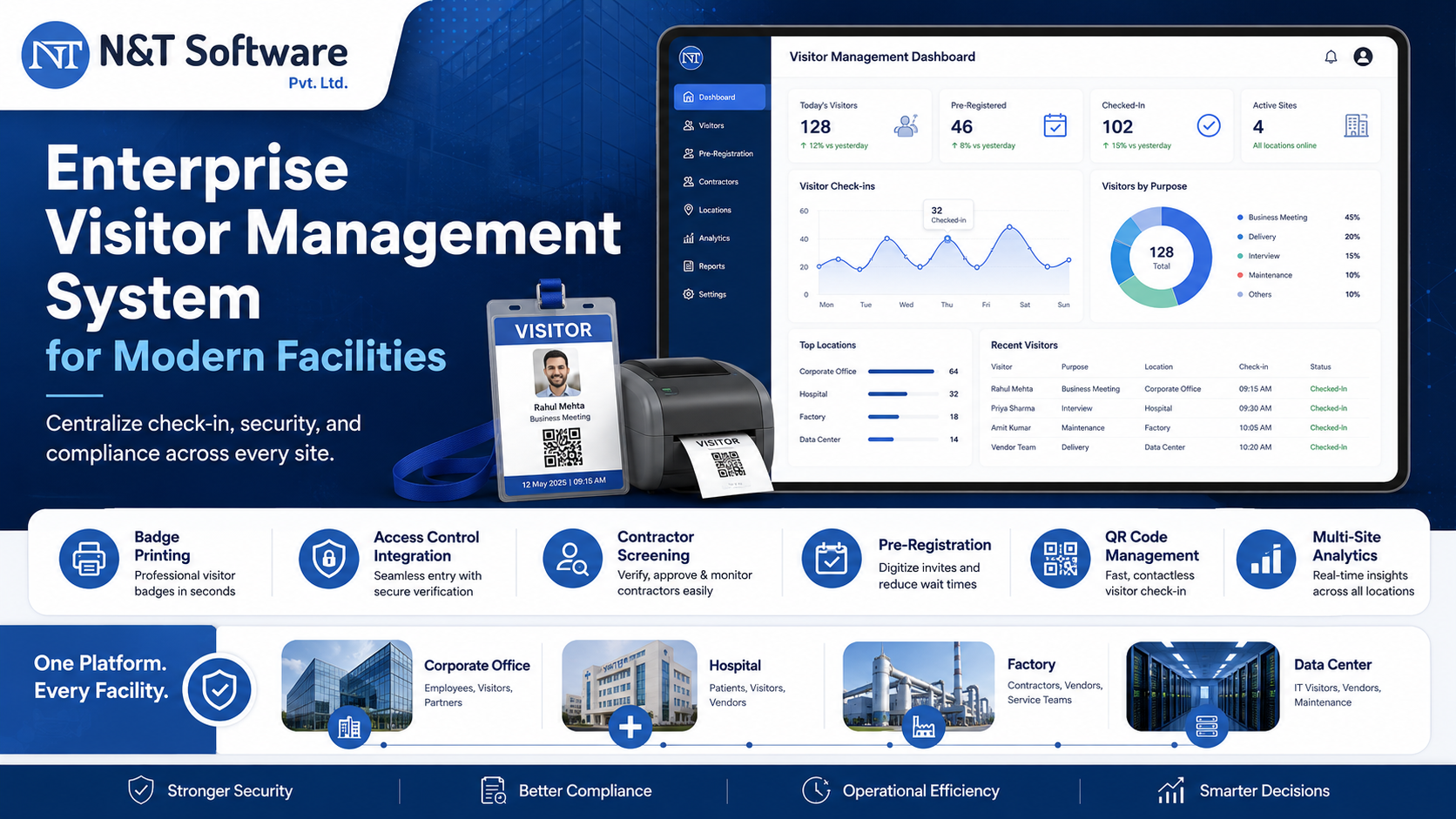
The N&T Software Visitor Management System is built to handle high visitor traffic at offices, factories, warehouses, hospitals, schools, residential facilities and multi-location enterprises. The platform is available as a cloud-based subscription, allowing organizations to deploy quickly across multiple locations without server infrastructure requirements.
The system supports:
- Manual, QR-code and OTP-based visitor entry.
- Host and department approval workflows.
- Visitor pre-registration and pre-approval.
- Visitor pass generation and printing.
- Real-time visitor dashboard.
- WhatsApp and email notifications.
- Face-recognition entry options.
- Role-based access control.
- Safety and policy-acknowledgement workflows.
- Advanced analytics and hourly visitor traffic reports.
- Multi-branch, multi-gate and multi-department management.
- Customized visitor workflows and mobile applications.
Organizations comparing deployment options can also review our guide on custom vs ready-made visitor management software. To discuss cloud or on-premise deployment requirements for your facilities, request a free demo from the N&T Software team.
Frequently Asked Questions
What is the main difference between cloud and on-premise visitor management systems?
The main difference is where the software and data are hosted. A cloud-based visitor management system is hosted on the provider's remote servers and accessed via internet browser or mobile app. An on-premise system is installed and operated on servers owned and managed by the organization at its own facility.
Which is more secure — cloud or on-premise visitor management?
Both can be made highly secure. Cloud systems rely on the provider's security infrastructure, certifications and compliance controls. On-premise systems rely entirely on the organization's own IT security practices. The better option depends on the respective capabilities and requirements of the organization and the provider.
Is a cloud visitor management system suitable for high-traffic facilities?
Yes. Cloud-based visitor management systems are designed and tested to handle high visitor volumes. The provider's infrastructure scales automatically to process large numbers of registrations, approvals and check-ins simultaneously without requiring local hardware upgrades.
What happens if the internet goes down with a cloud visitor management system?
This depends on the specific product. Some cloud visitor management systems include offline functionality that caches check-in operations locally and synchronizes data when connectivity is restored. Organizations in facilities with unreliable internet should evaluate offline capabilities and fallback reception procedures before selecting a cloud system.
Can an on-premise visitor management system support multiple locations?
Yes, but it requires either server infrastructure at each location or a central server accessible from all sites through a secure wide area network connection. Cloud-based systems handle multi-location management more simply, typically requiring only a new location to be added through the administration panel.
Is a cloud visitor management system more expensive than on-premise?
Cloud systems have lower upfront costs but generate recurring subscription fees. On-premise systems require higher upfront investment but potentially lower costs over time for large and long-running deployments. Total cost depends on the number of locations, users, support requirements and the expected lifetime of the system. A full total cost of ownership analysis over three to five years is recommended before making a final decision.
Can a cloud visitor management system integrate with access control hardware?
Yes. Many cloud-based visitor management systems integrate with gate controllers, turnstiles, QR code scanners, face recognition terminals and visitor pass printers through cloud APIs or local hardware agents that communicate between on-site devices and the cloud platform.
Who is responsible for data backups in a cloud visitor management system?
The provider is responsible for infrastructure-level backups in a cloud system. Organizations should verify backup frequency, data retention periods, recovery time objectives and the process for restoring data after an incident with the provider before signing a subscription agreement.
Which model is better for a manufacturing plant with 500 or more daily visitors?
A high-traffic manufacturing facility should evaluate internet reliability at all gate points, data residency requirements, need for offline operation during outages, and integration requirements with access control or ERP systems before deciding. Organizations with reliable connectivity and no strict data sovereignty mandates can use cloud-based systems effectively. Facilities with strict data control requirements or unreliable gate connectivity may prefer on-premise deployment.
Can I switch from on-premise to cloud visitor management later?
Yes. Migration from on-premise to cloud is possible but requires planning. This includes exporting historical visitor records, converting data formats for the cloud platform and reconfiguring all locations, users, visitor categories and approval workflows. Feasibility depends on the specific products involved and the volume of historical records to be migrated.
Ready to Choose the Right Visitor Management System for Your Facility?
N&T Software helps organizations choose and deploy visitor management systems configured around their actual visitor workflows, security requirements, number of locations and IT infrastructure. Whether you are managing a single corporate reception, a multi-gate industrial campus or visitor access across dozens of locations, our team can help you evaluate cloud and on-premise deployment options and configure the right solution for your facility.
Request a free Visitor Management System demo and share your locations, daily visitor volumes, entry point setup, internet connectivity situation and compliance requirements with our team.