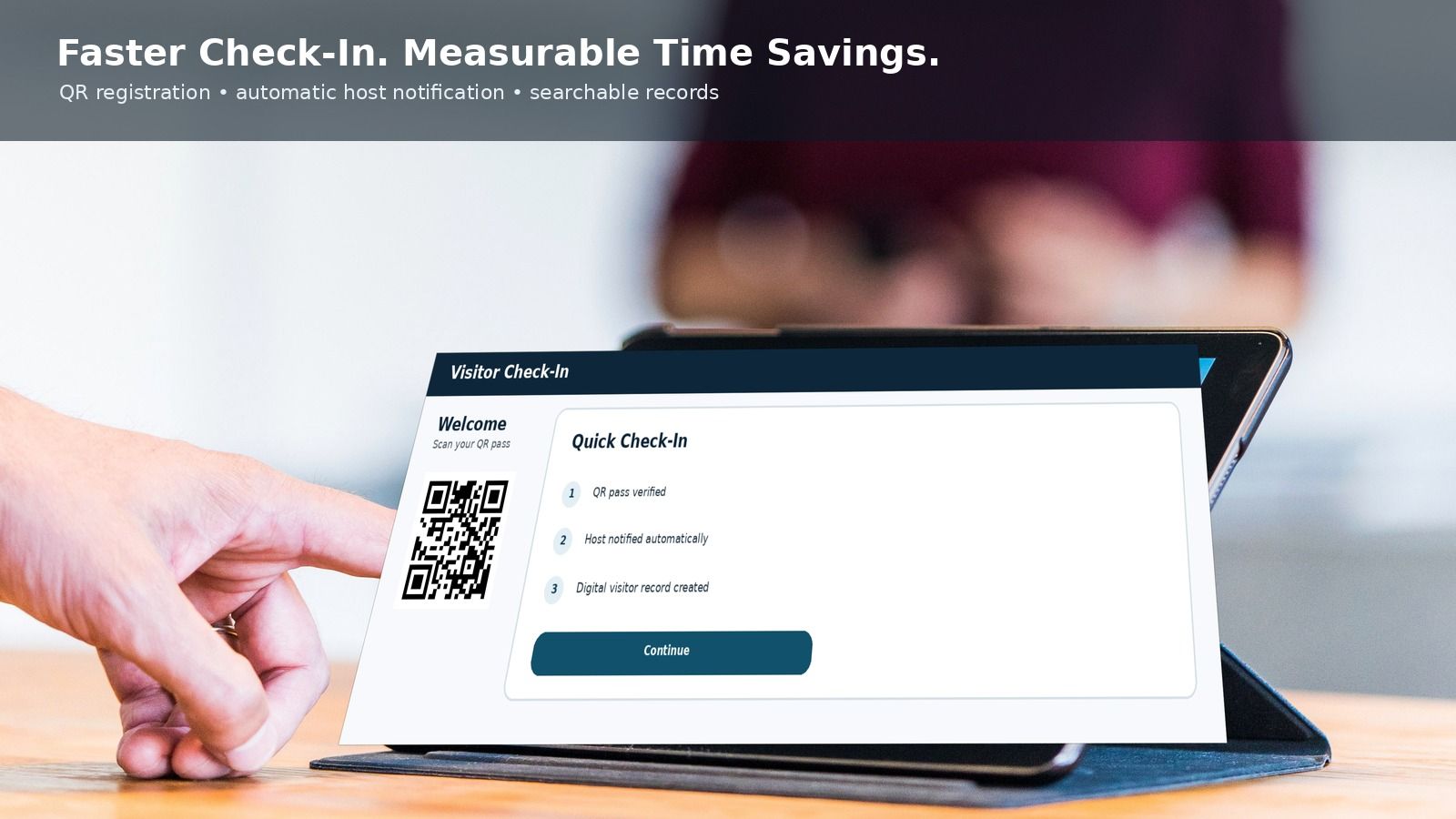
A practical 2026 guide to port visitor management software for maritime terminals, shipyards and depots, covering contractors, drivers, vehicle gates, approvals, restricted zones, implementation, security and pricing factors.
Ports and maritime terminals receive a changing mix of contractors, vessel agents, inspectors, drivers, vendors, service technicians and business visitors. Each person may need a different sponsor, document set, gate, time window, escort rule and permitted zone. A paper register can record a name, but it cannot reliably coordinate those decisions across a busy port facility.
A port visitor management system provides a structured digital workflow for pre-registration, approval, identity verification, gate-pass issuance, restricted-zone instructions, check-in, checkout and audit records. It complements physical access control and the facility’s security procedures; it does not replace the Port Facility Security Plan, the Port Facility Security Officer or any legal obligation.
What Is a Port Visitor Management System?
A port visitor management system is software used to manage temporary access for people who are not regular employees or credentialed crew. It connects the visitor request with a host or sponsor, visit purpose, facility location, requested access window, documents, vehicle details, safety instructions and the final entry decision.
The same concept is also searched as maritime terminal visitor management software, port contractor access management, terminal visitor gate pass system, port facility visitor tracking and driver gate entry software. The important distinction is that a port workflow must handle both people and operational context: gates, terminals, berths, warehouses, restricted areas, vehicles, escorts and time-sensitive work.
Why Maritime Facilities Need a Specialized Visitor Workflow
A corporate lobby usually has one reception point and a relatively simple host approval. A port may have multiple gates, separate operational zones, continuous shifts, external transport operators and temporary contractors working near cargo-handling equipment. That complexity makes a generic sign-in form insufficient.
- Different visitor types require different approvals, evidence and site instructions.
- A visitor approved for an administration building may not be permitted in an operational terminal or restricted zone.
- Drivers and service vehicles may need registration numbers, company details, delivery references and gate routing.
- Contractor access can depend on work orders, inductions, insurance or permit validity.
- Security levels and local procedures may change the checks required before entry.
The International Maritime Organization’s ISPS framework establishes a risk-based security regime for ships and port facilities. A visitor-management platform can help execute and document local access workflows, but whether a deployment satisfies an organization’s obligations depends on its configuration, approved security plan, procedures and competent authorities.
Who Should Be Managed in the System?
Contractors and maintenance technicians
Maintenance teams, surveyors, equipment specialists and project contractors often require a sponsor, work location, job reference, document-expiry checks, safety induction and a defined access period. A reusable contractor profile can reduce repeated data entry while each visit remains separately approved.
Truck drivers and hauliers
Driver access may be linked to a transport company, vehicle registration, trailer details, cargo or delivery reference, destination terminal and time slot. The visitor record should support the facility’s existing logistics process without becoming a substitute for a terminal operating system.
Vessel agents, chandlers and ship visitors
Agents, suppliers and authorized visitors may need a vessel or berth reference, host confirmation, a visit window and clear escort or zone instructions. The software should capture only the information genuinely required by the facility’s policy.
Inspectors, regulators and auditors
Official visitors may have different approval paths and confidentiality requirements. Role-based access should limit who can see identity documents, visit histories and supporting evidence.
Vendors, interviewees and office visitors
Visitors attending commercial, procurement, training or administrative meetings can use a simpler workflow while still receiving directions, host notifications, badges and checkout reminders.
End-to-End Port Visitor Access Workflow
- Request or invitation: the host, contractor coordinator or authorized department creates a visit request with purpose, date, location and visitor category.
- Pre-registration: the visitor supplies the minimum required business and identity details through a secure form before arrival.
- Document checks: the system records required evidence and expiry dates, such as an induction acknowledgement, work authorization or organization-specific credentials.
- Approval routing: the request moves to the appropriate host, operations, security, safety or contractor-management approver based on visit type and location.
- Visit confirmation: approved visitors receive clear arrival instructions and a time-bound QR code, reference number or other temporary credential.
- Gate verification: authorized staff verify identity, approval status, visit validity, vehicle details and any outstanding instruction at the designated gate.
- Pass or badge issuance: the system records the issued badge or gate-pass identifier, permitted area, escort requirement and expiry time.
- Host notification and entry: the sponsor is notified and the check-in event is recorded. If integrated with access control, only approved permissions should be activated.
- During the visit: security personnel can view current visitors, expected departures and relevant operational notes according to their role.
- Checkout and closure: the pass is returned or revoked, exit time is recorded and unresolved visits can be escalated according to policy.
Essential Features for Ports and Terminals
Multi-gate and multi-terminal configuration
Administrators should be able to define locations, gates, terminals, departments, zones and approval owners. This prevents one broad approval from being interpreted as access to the entire facility.
Visitor, driver and vehicle records
The data model should separate the person from the vehicle and visit. This supports repeat drivers, vehicle changes, multiple passengers and clear audit history without duplicating unnecessary personal data.
Configurable approval workflows
Approval rules should vary by visitor category, destination, purpose, risk level and access duration. Examples include host-only approval for an office meeting and security-plus-safety approval for contractor work in an operational area.
Document and expiry management
The system should flag missing or expired documents before a visitor reaches the gate. Buyers should define which documents are necessary, who can view them, how long they are retained and when they are deleted.
Digital induction and acknowledgements
Visitors can receive site rules, restricted-item notices, safety instructions or confidentiality terms before arrival. Completion records should show the version acknowledged and the time of acceptance.
QR codes, badges and temporary gate passes
A time-bound QR code can speed up lookup, while printed badges or passes make temporary status visible. A QR code should not by itself grant unrestricted entry; staff or integrated controls must still enforce the approved visit conditions.
Restricted-zone and escort controls
The record should state the permitted terminal or zone, escort owner and validity window. Any access-control integration should follow least-privilege principles and automatically expire temporary permissions.
Watchlists and denied-entry rules
Authorized security teams may need internal blocklists or alerts. Such processing requires clear governance, accurate data, restricted access, review procedures and alignment with applicable law. Automated matching should not remove appropriate human review.
Live visitor list and emergency accountability
A current on-site list can assist emergency coordination, but it is only reliable when every entry and exit is recorded, offline events are reconciled and staff follow the operating procedure. It should complement, not replace, the site’s emergency plan.
Integrations and audit exports
Depending on the environment, buyers may evaluate integrations with access control, barriers, badge printers, QR scanners, directory services, notification services or vehicle-recognition systems. Integration scope, ownership, failure handling and data exchange should be documented during implementation.
Use Cases Across Port and Maritime Operations
Container terminals
Container terminals can route drivers, surveyors, contractors and vendors to the correct gate and operational area while maintaining separate approval paths for administrative and terminal access.
Bulk and liquid terminals
Facilities handling bulk commodities or liquids can combine sponsor approval with site-specific induction, work-purpose validation, vehicle details and tightly defined visit windows.
Ro-Ro and passenger terminals
Operational contractors, concession vendors, inspection teams and business visitors can be distinguished from passengers, with workflows designed around staff-only and operational zones.
Shipyards and dry docks
Shipyards may manage large contractor populations, subcontractors, repair specialists and client representatives. Document-expiry reminders and project-based access periods are especially useful.
Inland container depots and port warehouses
Depots and warehouses can coordinate driver arrivals, vendors, maintenance personnel and customer representatives across gates, yards and storage facilities.
Port authority offices
Administrative buildings can use streamlined guest check-in while retaining a shared platform, consistent policy controls and consolidated reporting across the wider port estate.
ISPS, Security Plans and Software: What Buyers Should Understand
The ISPS Code sits under SOLAS chapter XI-2 and provides a framework for assessing and managing maritime security risks. Port facilities establish approved plans, responsibilities and measures appropriate to their circumstances and security level.
Visitor software can support controlled access by documenting invitations, approvals, identity checks, temporary credentials, escorts, entry events and departures. It cannot independently make a port “ISPS compliant.” Procurement teams should map every software workflow to the approved Port Facility Security Plan, national requirements and local operating procedures.
- Define which visitor categories the facility recognizes.
- Document the approver and evidence required for every category.
- Specify how security-level changes affect pending and active visits.
- Set procedures for rejected, expired, unescorted and overdue visitors.
- Test manual fallback and later reconciliation if systems or connectivity are unavailable.
Security and Privacy Requirements
Ports may process identity, employment, vehicle, visit-purpose and access-history data. That information should be treated as operationally sensitive and protected throughout its lifecycle.
- Data minimization: collect only information required for the stated access purpose.
- Transparency: provide a clear visitor notice explaining use, retention and contact channels.
- Role-based access: restrict identity documents, watchlists and reports to authorized roles.
- Retention controls: establish different retention periods where operational and legal needs differ.
- Auditability: record approvals, changes, check-ins, pass issuance, overrides and exports.
- Secure transmission and storage: evaluate encryption, key management, backups and recovery as part of vendor due diligence.
- Account security: require strong authentication, appropriate session controls and timely removal of access.
- Incident procedures: define how incorrect records, unauthorized access and lost badges are handled.
Privacy and security obligations vary by country and facility. Legal, security and data-protection teams should approve the final workflow rather than relying on a generic template.
Implementation Plan for a Port Visitor Management System
1. Map the current process
Document every entry point, visitor category, approval path, form, document, badge, system handoff and exception. Include night shifts, emergency maintenance, unplanned inspections and repeat drivers.
2. Define the minimum viable workflow
Start with the highest-volume or highest-risk visitor groups at selected gates. Agree on mandatory fields, approvers, service expectations, rejection reasons and fallback procedures.
3. Configure roles and locations
Create roles for security, hosts, operations, safety, contractor coordinators, administrators and auditors. Give each role only the access necessary for its responsibilities.
4. Prepare data and integrations
Confirm system owners, data formats, identity sources, badge printers, scanners, barriers and access-control interfaces. Test expiry, revocation and failure scenarios rather than only the successful path.
5. Pilot under real operating conditions
Run a controlled pilot at one gate or terminal across multiple shifts. Measure check-in exceptions, approval delays, user errors, incomplete exits and support needs.
6. Train and document
Provide concise procedures for hosts, security teams, approvers and contractors. Training should include privacy, manual fallback, visitor rejection, overdue visits and emergency use of the on-site list.
7. Review and improve
After rollout, review access exceptions, abandoned requests, expired documents, recurring delays and unused data fields. Adjust the workflow without weakening approved controls.
Port Visitor Management System Pricing
Pricing is normally shaped by scope rather than a single universal figure. Relevant factors include the number of facilities and gates, monthly visitor and driver volume, approval complexity, hosting model, user roles, badge or QR hardware, vehicle workflows, integrations, implementation services, training and support.
For a useful estimate, prepare the location map, visitor categories, daily volumes, required hardware and integration list before requesting a quote. Review the Visitor Management System pricing options or request a scoped discussion rather than comparing headline subscription prices alone.
How N&T Software Can Support Port and Terminal Workflows
N&T Software provides configurable Visitor Management Software for organizations that need structured registration, approvals, check-in, badges or gate passes, host notifications, role-based administration and multi-location visibility. Port and terminal deployments can be scoped around the facility’s approved processes, visitor categories and integration requirements.
A discovery discussion should confirm what the system will manage, what remains in existing port or terminal platforms, which data is necessary, which teams approve access and how exceptions are handled. This keeps the project transparent and avoids promising capabilities that have not been configured or validated.
Explore N&T Visitor Management Software or contact N&T Software to discuss a port, terminal, shipyard or depot workflow.
Buyer Evaluation Checklist
- Can the platform distinguish visitors, contractors, drivers, vehicles and recurring profiles?
- Can approval rules vary by terminal, zone, purpose, visitor type and security level?
- Does it show exactly who is currently on site, and how are missing checkouts handled?
- Can temporary permissions expire automatically and be revoked promptly?
- Are document access, retention, exports and audit events configurable?
- What happens during network, hardware or integration failure?
- Which integrations are standard, configurable or custom, and who owns support?
- Can the vendor demonstrate the proposed workflow using realistic port scenarios?
Frequently Asked Questions
What is the main purpose of a port visitor management system?
Its main purpose is to coordinate and document temporary access from request through departure. It helps hosts, security and operations apply consistent approvals, identity checks, gate passes, location restrictions and audit records.
Is visitor management software automatically ISPS compliant?
No. Software can support workflows associated with a facility’s security controls, but compliance depends on the approved security plan, national rules, configuration, procedures, training and day-to-day operation. The responsible maritime and security authorities should validate the approach.
Can the system manage truck drivers and vehicles?
A suitably configured system can associate a driver with a transport company, vehicle, trailer, visit reference, destination, time window and gate event. It should integrate with, rather than duplicate, terminal or logistics systems where those already manage cargo and appointments.
What is the difference between visitor management and access control?
Visitor management handles invitation, identity, purpose, approval, instructions and visit lifecycle. Access control enforces entry at doors, gates or barriers. They can be integrated, but each has a different role and temporary access should follow the approved visitor record.
Can one system work across several ports or terminals?
Yes, if it supports location-specific policies, roles, gates, zones, approval routes and reporting. Global configuration should not erase local legal or operational differences.
What should happen if the system is offline?
The facility needs a documented fallback that preserves appropriate checks, limits access and records manual events for later reconciliation. Offline operation should be tested before deployment.
How much does a port visitor management system cost?
Cost depends on gates, locations, user roles, visitor volume, devices, integrations, hosting, implementation and support. A requirements-led quote is more meaningful than a generic per-visitor price.
How long should visitor data be retained?
There is no universal period. The organization should define retention from operational, security, legal and privacy requirements, document the purpose and delete or anonymize data when it is no longer needed.
Related Resources
- Contractor Visitor Management System
- Visitor Management System Integration Guide
- Visitor Screening Software Guide
- Visitor Badge Printing System
- Visitor Data Privacy and Retention
Plan Your Port Visitor Workflow
Map your gates, visitor categories, approvals, documents, zones, escorts, fallback procedure and integration requirements before choosing a platform. For a tailored walkthrough, contact N&T Software with a short description of your facility and current process.