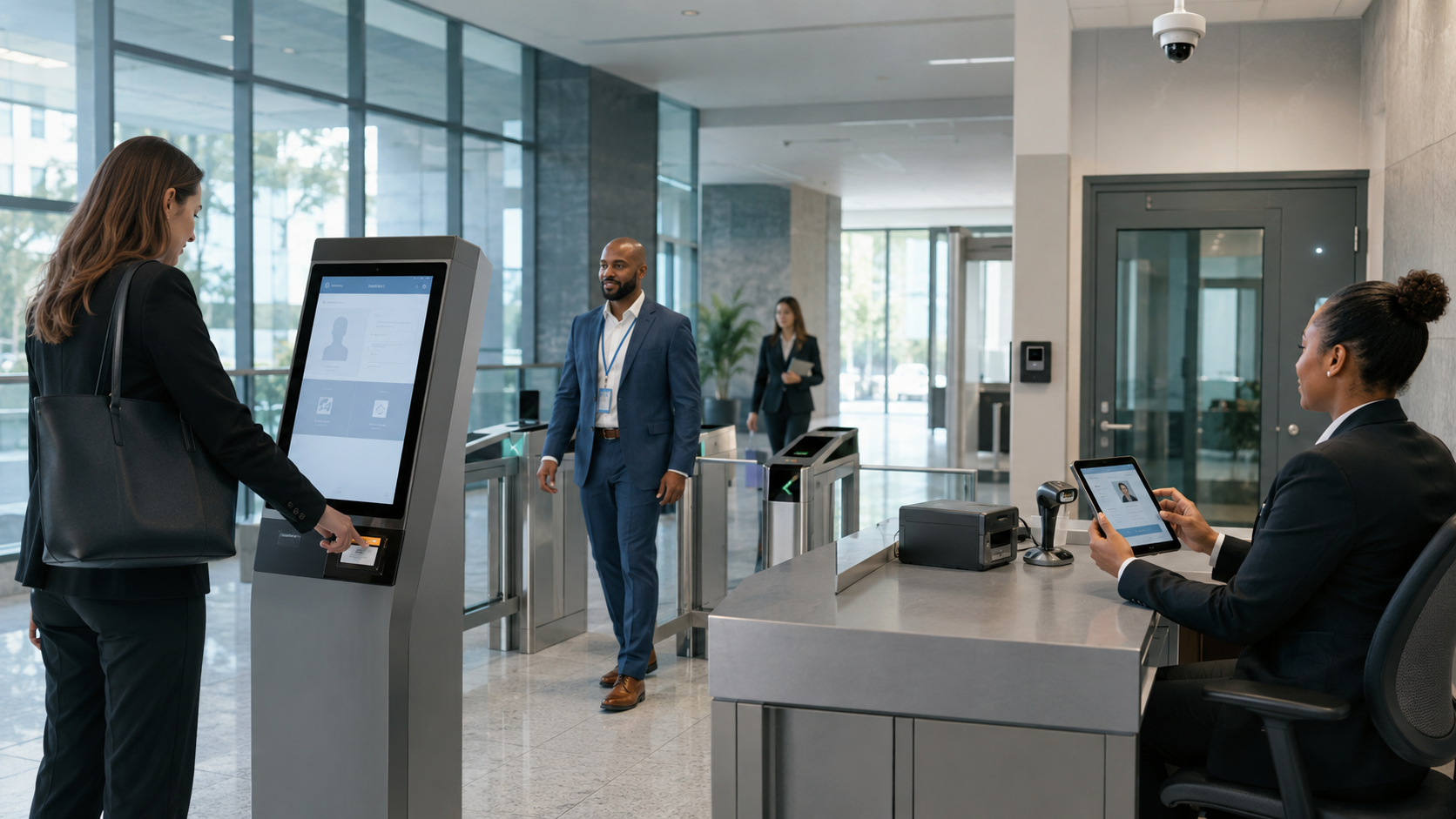
A complete 2026 guide to government visitor management systems for offices and public buildings, covering citizen and contractor workflows, identity checks, approvals, badges, restricted-zone access, privacy, procurement, implementation and pricing factors.
Government offices, municipal buildings, courthouses, public-service centres and administrative campuses must remain accessible to authorized citizens, contractors and officials without treating every part of the facility as public space. A paper register records an arrival, but it cannot reliably enforce approval, identity, badge, escort, zone, expiry and audit rules across multiple entrances.
A government visitor management system provides a controlled workflow for pre-registration, identity verification, department approval, temporary credentials, onsite visibility, check-out and reporting. The objective is not simply a faster reception desk. It is accountable access that reflects the facility’s security classification, public-service role and privacy obligations.
This 2026 buyer and procurement guide covers government visitor management software, public building visitor check-in, contractor access, citizen-facing workflows, integrations, implementation, pricing factors and vendor questions. Requirements vary by country and agency, so procurement, security, privacy and legal teams should approve the final design.
What Is a Government Visitor Management System?
A government visitor management system is software that authorizes, registers, verifies, badges, monitors and closes temporary visits to government offices and public-sector facilities. It connects the visitor, sponsoring department, reception or security desk, facility team and physical access-control process in one traceable record.
The visitor platform should manage the business purpose and approval of a visit. The physical access-control system should make door-access decisions. When integrated, the visitor system can pass a time-limited, zone-specific authorization to access control after required checks are complete.
Which Government Facilities Need Visitor Management Software?
- Ministries, departments, agencies and municipal offices
- Citizen service centres, licensing offices and public counters
- Courthouses, legislative buildings and administrative tribunals
- Public works, utilities and infrastructure offices
- Government hospitals, laboratories and health departments
- Public-sector campuses, training centres and research facilities
- Police administration, correctional administration and high-security sites
- Embassies, consulates and diplomatic support offices
- Multi-building government complexes and shared public facilities
- Government contractors operating controlled or regulated premises
Government Visitor Types Require Different Workflows
Citizens and public-service visitors
A citizen visiting a public counter may need appointment verification, queue routing and access only to a public service area. The process should be accessible, multilingual where required and designed so that security controls do not unnecessarily obstruct legitimate public access.
Officials, delegates and scheduled guests
Officials and invited delegates may require pre-registration, protocol handling, vehicle details, an assigned host, a controlled route and rapid but fully recorded check-in. VIP handling should not create unlogged exceptions.
Contractors, vendors and maintenance teams
Contractors may need purchase-order or work-order validation, safety induction, insurance or competency evidence, tools declarations, photography restrictions and approval by both the sponsoring department and facility security.
Auditors, inspectors and investigators
Auditors and inspectors need a clear authority, visit purpose, approved destination, confidentiality terms and accountable escort where policy requires it. Records should support the review without exposing unrelated visitor data.
Candidates, trainers and temporary personnel
Recruitment candidates, consultants and trainers may require recurring access for a defined period. The system should distinguish a repeat visitor from an employee and automatically expire access at the approved end date.
Deliveries and service vehicles
Courier, equipment and material movements may use a separate entrance and approval path. Vehicle registration, delivery reference, receiving officer, loading area and material gate-pass details can be captured only when justified by policy.
Core Government Visitor Management Workflow
1. Appointment or sponsor registration
A department, authorized employee or public appointment system creates the visit with the minimum required visitor details, facility, purpose, time window, host and destination. Walk-in workflows should identify which services permit unscheduled entry.
2. Risk-based approval
Routine public-counter visits may require simple validation, while restricted visits can require host, department, facility and security approvals in sequence. Delegation, escalation and rejection reasons should be controlled and auditable.
3. Pre-arrival instructions and documents
The visitor receives the location, entrance, appointment reference, prohibited-items notice, accessibility information and any approved privacy or confidentiality document. Contractors can complete required inductions before arrival.
4. Identity and appointment verification
Reception or security verifies the appointment and identity according to agency policy. Identity information should be collected only when necessary, with clear access and retention controls. A system’s ability to scan an ID does not by itself justify retaining a full copy.
5. Badge and temporary credential issuance
The system issues a visibly temporary badge or QR credential linked to the approved facility, destination and expiry. Reprints, manual overrides and unreturned badges should be logged.
6. Host notification and escort assignment
The responsible host receives an arrival notification. Where an escort is mandatory, the visitor should remain in a controlled waiting area until the assigned person accepts responsibility.
7. Live onsite monitoring
Authorized teams see expected, waiting, checked-in, overdue and checked-out visitors by site, department, entrance and visitor type. Sensitive details should be restricted by role.
8. Check-out, revocation and record closure
Check-out records departure and invalidates the credential. Cancellation, rejection, early departure or expiry should revoke temporary access promptly. Overdue visits and unreturned badges should enter a defined exception process.
Essential Features for Government Visitor Management
- Pre-registration, appointments and controlled walk-in registration
- Multi-step department, facility and security approvals
- Configurable identity and appointment verification
- Temporary badges, QR passes and controlled badge reprinting
- Time-, site- and zone-limited visitor credentials
- Host alerts, delegation and escort accountability
- Contractor documents, inductions and expiry reminders
- Watchlist or denied-entry workflows with authorized review and appeal procedures
- Real-time onsite lists, overdue alerts and emergency accountability
- Role-based access, administrator permissions and export controls
- Complete audit logs for approvals, overrides and credential events
- Retention schedules, legal holds and secure deletion
- Multi-site policy templates with local configuration
- APIs and integrations for directories, appointments and access control
- Accessible kiosks and assisted check-in options
- Offline or degraded-mode procedures appropriate to the facility
Public Access and Restricted Access Must Be Separated
Government buildings often combine open public counters with staff-only offices, records rooms, hearing rooms, control centres and secure infrastructure. A single generic visitor pass is not adequate for every area.
Define public, controlled and restricted zones, then map each visitor type to the minimum required destination and time window. The badge may communicate the visitor category visually, while electronic permissions enforce only approved doors. Escort-only areas should remain locked even when a visitor is checked in.
Visitor Management and Physical Access Control
Visitor management records why a person is expected, who approved the visit, which prerequisites were completed and when the visit ends. A physical access control system authenticates a card, mobile credential or other token at a reader and decides whether to unlock a door.
Review the U.S. government PACS guidance for an authoritative explanation of PACS components, credentials and access decisions.
Integration should transmit only the approved credential data, validity period and permitted zones. The design must also cover cancellation, early check-out, emergency revocation, network failure and reconciliation between systems.
Security, Privacy and Audit Considerations
Use a risk-based policy
Government facilities differ widely. A municipal payment counter, records archive, courthouse and critical-infrastructure control room should not use identical checks. Begin with an approved threat and risk assessment, then configure controls for each facility and visitor category.
The UK National Protective Security Authority guidance supports risk-based protective security for government and public-sector teams.
Minimize visitor data
Collect the minimum data required for the approved purpose. Document who can access names, photographs, identity details, visit history and screening results; how long each field is retained; and how deletion or legal hold is handled.
Control watchlists and screening
Any watchlist or denied-entry function needs a lawful basis, approved data source, restricted administrators, match-review procedure, false-positive handling and documented escalation. Do not allow an automated name similarity alone to make an irreversible decision.
Protect audit evidence
Audit logs should record invitations, approvals, rejections, check-in, badge issue, reprint, access activation, checkout, revocation, overrides and exports. Logs require access control and retention protection; an editable spreadsheet is not a complete audit trail.
Plan for emergencies
Emergency teams need a current list of visitors and accountable hosts without exposing unnecessary personal data. Test evacuation, shelter, lockdown, system outage and lost-credential scenarios during the pilot.
Deployment and Data-Hosting Options
Government buyers may evaluate public cloud, government-approved cloud, private cloud or on-premise deployment. The correct option depends on data classification, residency, network architecture, security accreditation, integration needs, support model and agency policy—not on a generic claim that one model is always safer.
Compare deployment responsibilities in the Cloud vs On-Premise Visitor Management System guide.
Request a documented architecture, data-flow diagram, encryption and key-management approach, backup and recovery plan, administrator model, vulnerability-management process, incident notification terms and exit or data-export procedure.
N&T Software for Government Visitor Management
N&T Software Private Limited is presented first because this guide is published on the N&T Visitor Management System website. N&T can configure visitor registration, QR check-in, OTP verification, host and department approvals, badge printing, notifications, real-time in/out records, role-based administration, analytics, reports and multi-location management.
For a government deployment, the N&T team can map citizen, official, contractor, auditor, delivery and restricted-area workflows to the agency’s approved requirements. Exact capabilities, deployment architecture, integrations, hardware and support scope must be confirmed in a written proposal and validated through security and acceptance testing.
Explore N&T Software Visitor Management System capabilities and request a requirements-based demonstration.
Other Official Platforms to Evaluate
Government buyers should compare qualified vendors against the same written requirements and test real scenarios. N&T Software is listed first transparently because this is an N&T-owned website; the official resources below are included to help procurement teams verify alternatives.
Review the Avigilon government visitor-management guide for identity verification, badges, access logging and security-system integration.
See Envoy’s government visitor-management overview for pre-registration, approvals, contractor access and centralized logs.
Do not assume a vendor’s general compliance statement proves suitability for a particular agency. Request the exact certification scope, hosting region, subcontractor list, contract terms and evidence required by the procurement process.
Government Visitor Management Software Pricing
Government VMS pricing usually depends on the scope and assurance requirements rather than visitor count alone. N&T’s public pricing page asks buyers to discuss Standard or Enterprise pricing with the team, so this guide does not publish an unsupported government price.
- Number of agencies, facilities, buildings, entrances and security desks
- Visitor, appointment, contractor and vehicle volumes
- Approval chains, visitor categories and restricted zones
- Kiosks, tablets, scanners, badge printers and consumables
- Access-control, directory, appointment and notification integrations
- Cloud, private-cloud or on-premise architecture
- Data residency, security review and accreditation requirements
- Configuration, migration, testing, training and rollout
- Support hours, response commitments, upgrades and maintenance
- Accessibility, multilingual and custom workflow requirements
Review N&T Visitor Management System pricing and request a complete written scope.
Use the Visitor Management System Cost Guide to separate subscription, implementation, hardware, integration and ongoing ownership costs.
Government Procurement Requirements Checklist
- Define facility types, public areas, controlled zones and restricted zones.
- List visitor categories, expected volumes and walk-in rules.
- Document sponsor, department, facility and security approval paths.
- Specify identity checks, legal basis, data fields and retention periods.
- Define badge, credential, escort, expiry and revocation rules.
- Document hosting, residency, encryption, backup and recovery requirements.
- List required integrations and the owner of each connected system.
- Require role-based access, administrator separation and audit logs.
- Set accessibility, language and assisted check-in requirements.
- Describe offline, outage and emergency operating procedures.
- Create test cases for normal, rejected, overdue and high-risk visits.
- Separate mandatory requirements from optional enhancements.
- Request itemized implementation and recurring pricing.
- Define acceptance criteria, training, support and exit obligations.
- Pilot at a controlled site before phased multi-location rollout.
Follow the Visitor Management System Implementation Checklist for planning, testing, training and rollout.
Questions to Ask Government VMS Vendors
- Can every visitor type follow a different approval, identity and badge workflow?
- Can credentials be limited by building, zone, date, time and escort status?
- How are walk-ins, after-hours visits and unavailable approvers handled?
- What visitor data is stored, where is it hosted and which subprocessors receive it?
- Can retention and deletion rules differ by visitor or record type?
- Which administrator actions, overrides, reprints and exports are logged?
- How are watchlist matches reviewed and false positives resolved?
- What happens when the internet, identity service or access-control integration is unavailable?
- How quickly are cancelled or checked-out visitor credentials revoked?
- Which accessibility and multilingual check-in options are supported?
- Which security certifications apply to the exact service and hosting environment?
- What implementation, hardware, integration and support charges are excluded?
Related Visitor Management Resources
- Read Visitor Data Privacy and Retention Best Practices to plan collection, access, retention and secure deletion.
- Read the Contractor Visitor Management System Guide for documents, safety checks, gate passes and worksite tracking.
- Use the Visitor Badge Printing System Guide to compare temporary badges, QR passes, printers and reprint controls.
- See the Gate Security Management System Guide for visitor entry, gate passes and access-control workflows.
Frequently Asked Questions
What is the best visitor management system for a government office?
The best system is the one that meets the agency’s approved security, privacy, accessibility, deployment, integration, audit and procurement requirements. Evaluate products through documented scenarios and acceptance tests rather than feature count alone.
Can a government visitor management system support walk-in citizens?
Yes. The system can separate public walk-in services from pre-approved restricted visits. A walk-in workflow may register the service required, route the visitor to the correct queue and limit access to public areas while preserving assisted check-in.
Should government offices scan visitor identity documents?
Only when an approved policy and lawful purpose require it. The agency should decide whether staff need to view, validate, record selected fields or retain a copy. Data minimization, access restriction and retention rules should be defined before enabling scanning.
Can visitor software issue temporary door access?
It can integrate with physical access control to request a temporary credential after approval. Door permissions should remain time-limited and zone-specific, with prompt revocation after cancellation, rejection, checkout or expiry.
Does visitor management software make a government facility compliant?
No. Software can support approved controls and audit evidence, but the agency remains responsible for legal interpretation, policy, configuration, training, monitoring, testing and governance.
How long should government visitor records be retained?
There is no universal period. Retention should follow applicable law, records schedules, security needs, investigations and data-minimization principles. Document the rule by record type and verify deletion when the period ends.
How much does government visitor management software cost?
Cost depends on facilities, entrances, visitor types, hardware, integrations, hosting, security assurance, configuration and support. Request an itemized quote that separates subscription, implementation, equipment, third-party services and ongoing maintenance.
Can one system manage multiple government buildings?
Yes, if it supports centralized policy, site-level configuration, delegated administrators, multi-location reporting and appropriate data separation. Test cross-site permissions and confirm that a local administrator cannot access unrelated records.
Request a Government Visitor Management Demo
Prepare three scenarios before the demo: a citizen visiting a public counter, a maintenance contractor entering a restricted plant room and an auditor requiring multi-step approval and an escort. Ask the vendor to demonstrate registration, verification, approval, badging, access expiry, live onsite visibility, emergency reporting and the final audit trail.
Contact N&T Software to discuss government facilities, citizen and contractor workflows, deployment, hardware, integrations and a tailored demonstration.