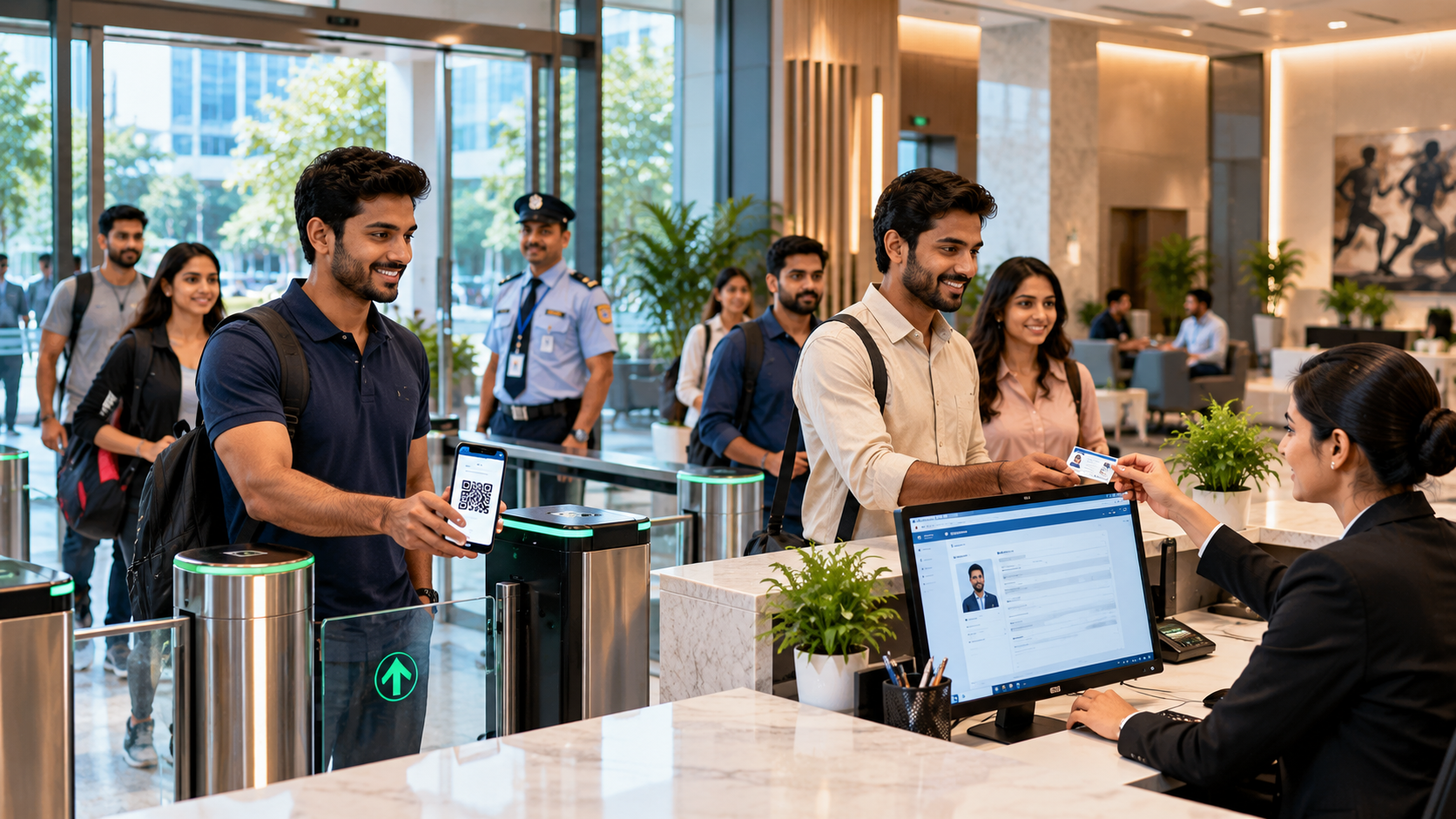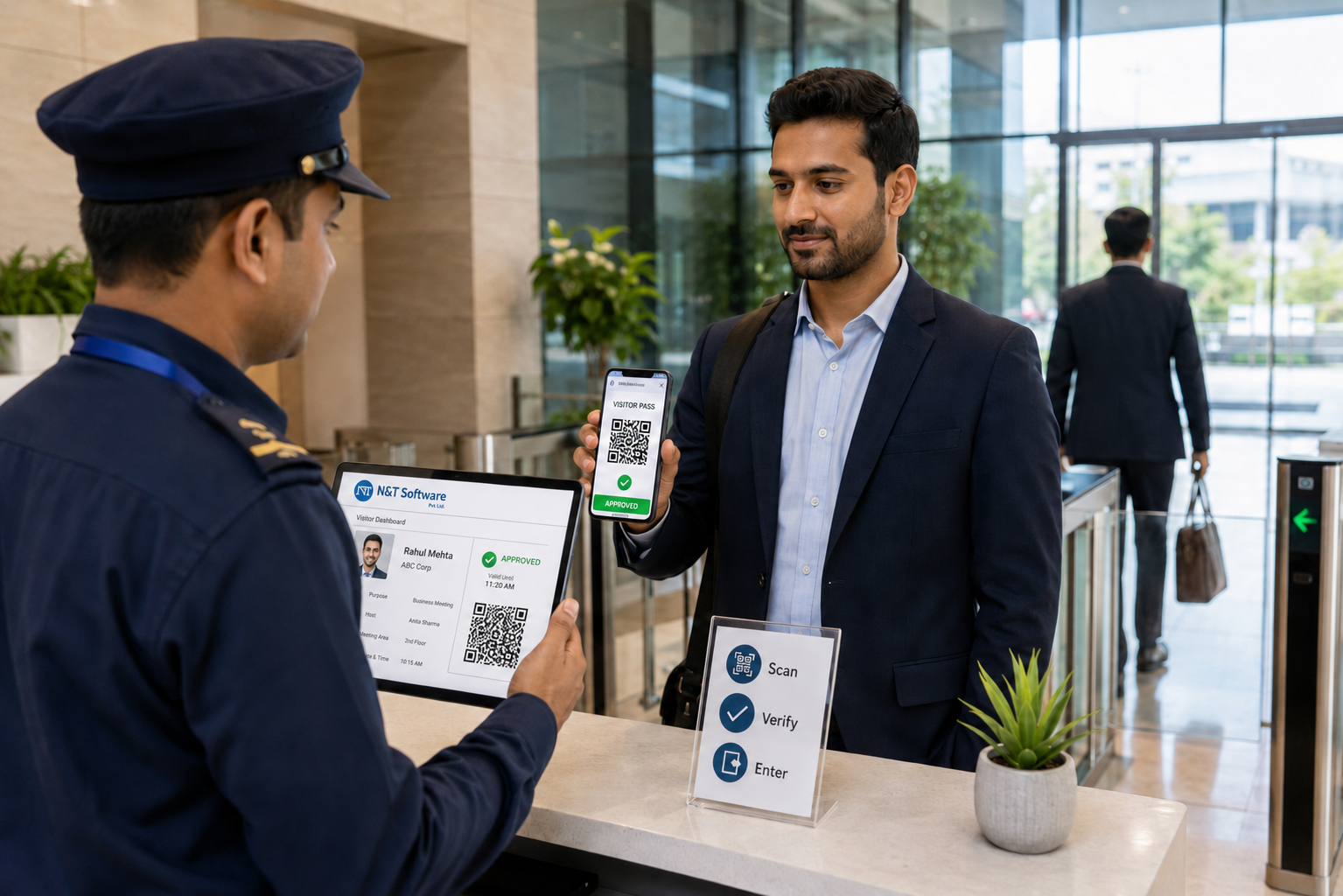
A practical 2026 guide to gate security management software, visitor approvals, QR gate passes, guard workflows, multi-gate tracking, privacy and implementation.
A gate security management system gives security teams a controlled digital process for every visitor entering or leaving a workplace. Instead of depending on handwritten registers, repeated phone calls and unverified paper slips, the system connects visitor registration, host approval, gate-pass verification, check-in, check-out and reporting in one workflow.
This guide explains how gate security management software works, which features matter at a busy entrance, how it differs from physical access control and what organizations should evaluate before implementation. It is written for security managers, facility teams, administration departments, IT teams and business owners comparing visitor gate pass systems in 2026.
If you are replacing a paper register, start with the operational problem: the gate team needs to know who the visitor is, why they are there, who approved the visit, which location they may enter and whether they checked out. A modern visitor management system turns those questions into a verifiable digital record.
What Is a Gate Security Management System?
A gate security management system is a software platform used to register, verify, approve and track visitors at a facility entrance. It creates a structured entry process for guests, vendors, contractors, interview candidates, service personnel and other external visitors, while giving guards and administrators a real-time view of current and historical visits.
The system is sometimes described as gate security management software, gate entry management software, security gate software, a visitor gate pass system or a digital gate pass system. The names vary, but the core purpose is the same: allow approved entry, prevent unverified access and maintain a reliable entry-exit trail.
A complete visitor-focused system normally covers pre-registration, walk-in registration, host or department approval, QR or printed passes, visitor photo or identity details where required, security checklists, badge printing, notifications, active-visitor tracking and reports.
Gate Security Software, Visitor Management and Access Control: The Difference
These terms are related, but they should not be treated as identical.
- Gate security management software coordinates the security workflow at the entrance, including verification, approval, gate-pass validation and guard actions.
- Visitor management software manages the complete visitor journey from invitation or registration to check-out, notifications, records and analytics.
- Physical access control grants or blocks entry through doors, turnstiles, barriers, RFID readers or biometric devices.
An organization may use visitor management without connecting it to a boom barrier or turnstile. In higher-security environments, the visitor platform can also be evaluated for integration with existing access-control infrastructure so an approved, time-limited credential controls physical entry.
Manual Gate Register vs Digital Gate Security Management
Paper registers create gaps that are difficult to detect during normal operations. Names may be incomplete, check-out may be missed, approval may happen through an undocumented phone call and previous visitors' personal details may remain visible. Read the related guide on manual visitor-register security risks for a deeper risk review.
How a Digital Visitor Gate Pass System Works
The most effective gate workflow is simple enough for guards to use during peak traffic but controlled enough for security and audit requirements.
- Pre-register or register the visitor. An employee, administrator or visitor enters the visit details before arrival, or the security team records a walk-in at the gate.
- Send the request to the correct host. The employee, department or authorized approver receives the request and can approve or reject it.
- Issue a visitor pass. After approval, the system can create a QR gate pass or a printable badge containing the visit information needed at the entrance.
- Verify the visitor at arrival. The guard checks the pass and the required identity details, then confirms the visit against the approved record.
- Complete entry checks. Site-specific declarations, safety instructions or visitor checklists are completed before access is allowed.
- Record check-in and notify the host. The visitor becomes active in the live dashboard, and the relevant team can receive an arrival alert.
- Record check-out. The gate team closes the visit so the system maintains an accurate list of people currently inside the premises.
Essential Features of Gate Security Management Software
1. Pre-Registration and Host Approval
Pre-registration reduces queues because the visit details and approval are completed before arrival. For walk-in visitors, the system should route the request to the correct host or department and record the decision. Security should be able to distinguish clearly between approved, pending, rejected and completed visits.
2. QR Gate Pass and Printable Badge
A QR visitor pass speeds up verification and reduces dependence on handwritten slips. The pass should be tied to the specific visit and should not remain valid beyond its approved period. Where visitors must be visibly identified inside the facility, the same workflow should support a printed badge or receipt.
3. Guard-Friendly Check-In on Existing Devices
Gate software succeeds only when the security team can operate it quickly. A browser-based interface that works on mobile, tablet and desktop can reduce hardware dependency. The guard view should keep important actions—search, approval status, pass verification, check-in and check-out—easy to find.
4. Multi-Gate, Multi-Branch and Department Control
Organizations with several entrances or locations need centralized visibility without giving every user unrestricted access. The system should support branch, location and department-level workflows, with roles for super administrators, administrators, managers and gate or reception users.
5. Real-Time Notifications
Notifications help the host respond without repeated security calls. Depending on the configured workflow, alerts may be delivered by email or supported messaging channels for approval, rejection, arrival and other visit events.
6. Security Checklists and Visitor Rules
A factory may require a safety acknowledgement, a hospital may enforce visiting-hour rules and an office may ask a visitor to accept a confidentiality notice. Configurable checklists make these steps part of the visit record instead of an informal conversation.
7. Live Dashboard, Reports and Audit Logs
Security and facility teams should be able to see active visitors, pending requests, completed visits, peak hours, location activity and department-level traffic. Audit logs and role-based permissions add accountability by showing authorized administrative actions.
8. Optional Identity Enhancements
Some organizations may need visitor photo capture or optional face-recognition workflows. These features should be selected only after reviewing necessity, consent, local privacy requirements, retention rules and access restrictions.
Who Uses a Visitor Gate Pass Management System?
A gate entry system should support different visitor types without forcing every person through the same process. Common groups include clients, vendors, contractors, auditors, interview candidates, delivery personnel, parents, patient visitors, consultants and maintenance teams.
The visit purpose determines the workflow. A client may need quick host approval and a meeting-room badge. A contractor may need a safety checklist. A vendor may need department verification. A school visitor may need stricter identity and host confirmation. Designing these journeys before configuration keeps the gate secure without creating unnecessary delay.
Gate Security Management Use Cases by Industry
Corporate Offices and Commercial Buildings
Corporate teams use visitor gate pass software for guests, interviews, vendors, consultants and meetings. Pre-approval, reception alerts, badges and accurate check-out records improve both security and the visitor experience.
Factories, Plants and Warehouses
Industrial sites need controlled entry for contractors, suppliers, auditors and service teams. Department approval, safety checklists, location-based roles and centralized records are especially important. See the industrial visitor management software guide for a manufacturing-focused workflow.
Hospitals and Healthcare Facilities
Hospitals can use a digital gate entry process to manage attendants, patient visitors, medical representatives, vendors and service personnel across departments or branches. The workflow can support visiting rules, approvals, passes and entry analytics.
Schools, Colleges and Universities
Educational institutions need reliable records for parents, guardians, vendors, guests and event visitors. Read the visitor management system guide for schools and universities for campus-specific considerations.
Residential Properties, Malls, Events and Public Facilities
These locations may receive high visitor volumes and many short visits. A digital approval and pass workflow helps security teams process entries consistently while maintaining a searchable history for authorized management users.
How N&T Software Supports Visitor Gate Security
N&T Software Pvt. Ltd. provides a visitor management platform designed for offices, industrial units, healthcare facilities, educational institutions, residential properties and multi-location organizations. It can be used from mobile, tablet or desktop, so a dedicated kiosk is not mandatory for the core visitor workflow.
Key capabilities include multi-branch and multi-department management, visitor pre-registration, approval workflows, QR visitor passes, printable badges, email and supported messaging alerts, configurable checklists, role-based access, visitor analytics, audit logs and optional face-recognition workflows.
Because gate processes differ by industry, the right setup begins with your actual visitor types, approval levels, branches, departments, reporting needs and privacy rules. N&T Software can demonstrate the workflow using your gate-security requirements instead of a generic reception example.
Gate Security System Implementation Checklist
Before configuration, document the current gate process and the exceptions guards handle every day. The detailed 15-step visitor management implementation checklist can support the complete rollout. At minimum, confirm the following points:
- Which visitor types use each gate or location?
- Who can approve a visitor, and what happens if the main host is unavailable?
- Which details are mandatory for registration and which are unnecessary?
- When should the system issue a QR pass, printed badge or both?
- Which checklists, declarations or visiting rules apply?
- Which roles can view, edit, export or delete visitor records?
- How will check-out, overdue visits and emergency headcounts be handled?
- Are access-control, badge-printer or other integrations required?
- What reports are needed by security, facilities, compliance and management?
Run a pilot at one gate, test peak-hour walk-ins and approved visitors, train each guard shift and review the first reports before expanding to every branch.
Gate Security Management System Pricing Factors
Pricing should be evaluated against the full operating requirement, not only a headline subscription. Important factors include the number of branches, gates, administrators, visitor volume, workflow customization, training, messaging usage, badge printing, integrations, support and deployment model.
Ask each provider to separate recurring software costs from setup, hardware, messaging, integration and annual support charges. You can also review the N&T Software pricing page or request a branch-specific quotation.
Visitor Data Privacy and Security Best Practices
Gate records may contain names, contact details, photographs, company information, visit purpose and host details. Collecting more data does not automatically create better security. The organization should collect what is necessary for the stated purpose and define who can access it.
- Use role-based permissions for guards, managers and administrators.
- Keep approval and administrative activity auditable.
- Set retention and deletion rules instead of keeping every record forever.
- Limit exports and protect downloaded reports.
- Explain the purpose of data collection and any optional identity technology.
For a deeper review, read Visitor Data Privacy and Retention Best Practices and align the final policy with the laws that apply in each operating country.
Frequently Asked Questions
What is a gate security management system?
A gate security management system is software that controls and records visitor entry at a facility gate or reception. It manages registration, host approval, QR or printed gate passes, check-in, check-out, live visitor status and searchable security records.
What is the difference between visitor management and access control?
Visitor management handles identity, visit purpose, host approval, pass issuance and the visit record. Access control grants or blocks physical entry through a door, turnstile or barrier. The two systems can work together, but they perform different jobs.
Can a visitor receive a QR gate pass before arrival?
Yes. A pre-registered and approved visitor can receive a time-bound QR pass by email or supported messaging channel. Security scans or verifies the pass at arrival and records the entry.
Does gate entry software require a dedicated kiosk?
Not always. A browser-based system can run on an existing mobile phone, tablet or desktop used by the security team. Hardware requirements depend on whether the organization also wants badge printers, scanners, turnstiles or physical access-control integration.
Can the system manage multiple gates and branches?
Yes, if multi-location management is supported. Authorized teams can use a central dashboard while each gate or branch follows its own roles, departments, visitor workflows and reports.
Which industries need visitor gate pass software?
It is useful for corporate offices, factories, warehouses, hospitals, schools, universities, residential properties, commercial buildings, government facilities, data centers, malls, events and other controlled premises.
How should visitor data be protected?
Collect only necessary information, restrict access by role, define retention and deletion rules, secure exports, record administrative actions and explain the purpose of collection to visitors.
Build a Faster, More Accountable Gate Entry Process
A gate security management system should do more than convert a paper register into an online form. It should make approval visible, verification faster, visitor status accurate and every authorized action traceable.
The best result comes from matching the software to real gate conditions: visitor types, guard shifts, multiple branches, approval delays, badges, checklists, privacy controls and reporting requirements. When these details are planned correctly, a visitor gate pass system improves both security control and the experience of approved visitors.
Discuss your gate-security workflow with N&T Software. Book a visitor management demo for your office, factory, hospital, school, warehouse, residential property or multi-location organization.