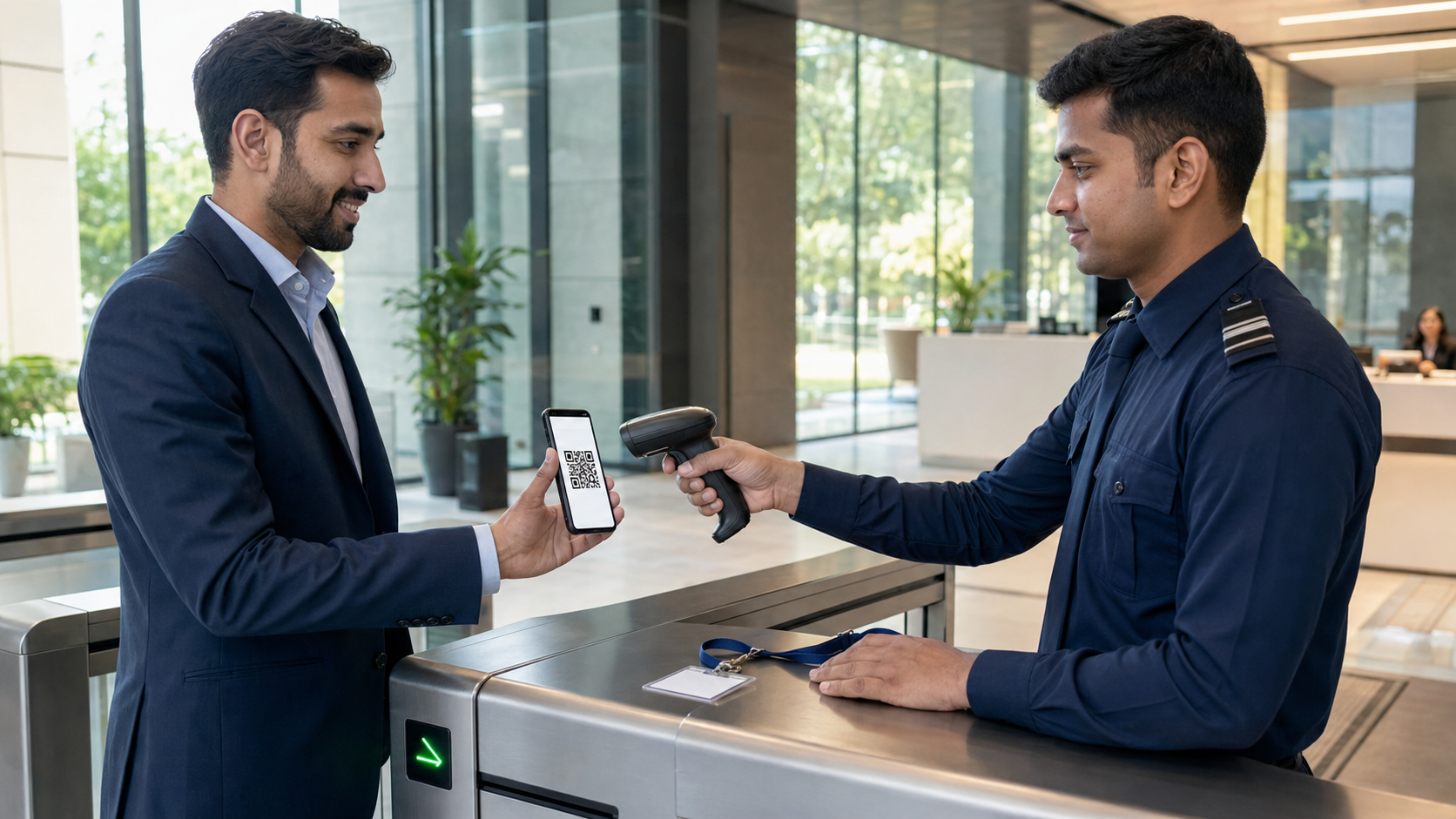
A practical 2026 guide to QR code visitor management systems, covering contactless check-in, digital gate passes, dynamic QR security, approvals, access control, privacy, implementation and pricing factors.
A QR code visitor management system replaces slow handwritten entry with a controlled digital workflow. A host can pre-register a guest, the system can send a unique QR visitor pass, security can validate the visit at the gate, and check-in or checkout can be recorded in seconds. The same workflow can support offices, factories, warehouses, schools, hospitals, residential communities, government buildings and events.
The speed is useful, but a QR code alone is not security. A screenshot can be forwarded, a printed code can be copied, and a public QR sticker can be replaced with a malicious one. A reliable QR visitor check-in system must connect every scan to current approval, identity, location, validity time and visit status.
This 2026 guide explains how QR visitor management works, which QR model to choose, how to prevent pass sharing and replay, what buyers should ask, which implementation mistakes to avoid and when N&T Software may fit the requirement.
Quick answer: A secure QR gate pass should use an unpredictable token rather than visible personal data. The server should verify that the visit exists, is approved, is within its allowed time and location, has not expired or been revoked, and is not being reused incorrectly. Higher-risk sites should combine the QR scan with an additional check such as a photograph, approved ID, OTP, host confirmation or security review.
What Is a QR Code Visitor Management System?
A QR code visitor management system is software that generates or reads QR codes to manage guest registration, approval, entry, movement and departure. The QR code acts as a machine-readable reference to a visitor or visit record. Depending on the configuration, it may be displayed on a phone, sent by email or WhatsApp, printed on a temporary visitor badge, or scanned from a self-service kiosk.
When security scans the code, the system should not simply show “valid.” It should evaluate the visit against rules such as:
- Approved visitor and host
- Permitted site, building, gate or zone
- Valid date and arrival window
- Check-in and checkout state
- Badge or credential status
- Escort, safety-induction or document requirements
- Revocation, cancellation or watchlist status
- Anti-passback or duplicate-entry rules
The result is a structured digital visitor pass rather than a paper slip that can be difficult to verify or trace.
How QR Visitor Check-In Works: Complete Workflow
The best QR visitor workflow starts before the guest reaches the gate and finishes only after checkout.
1. Host or administrator pre-registers the visitor
The host enters the visitor's name, contact information where necessary, company, visit purpose, date, expected time, site and department. Contractor or vendor visits may also require a work order, safety document or supervisor approval.
2. Approval rules are applied
The visit can be approved by a host, receptionist, department manager, security team or multiple reviewers. Low-risk recurring visitors may follow a configured auto-approval rule, while restricted visits can require additional review.
3. The system creates a unique QR visitor pass
After approval, the system generates a visit-specific QR code. It may be sent through an approved communication channel or printed by reception. The visible message should explain the site, visit date, entry instructions and whom to contact if the pass does not work.
4. The visitor arrives at the correct gate
Security scans the QR code using a phone, tablet, desktop-connected camera, kiosk or integrated access-control reader. The scanner sends the token to the visitor management platform for validation.
5. The system validates the visit in real time
The system checks whether the code is genuine, approved, active, unexpired and allowed at that gate. It should also detect inconsistent status, such as a credential trying to enter twice without an exit.
6. Security completes any additional verification
For a standard office meeting, matching the visitor name and host may be enough. A factory, laboratory, data center or government facility may additionally check a photograph, ID, OTP, induction status, escort requirement, equipment declaration or permitted zone.
7. Check-in is recorded and a badge is issued
The visit changes to “inside,” the entry time and gate are recorded, and the host can be notified. A printed badge may show only the information required for identification and routing.
8. Access-control action is triggered where configured
An approved check-in may send a request to a turnstile, barrier or door-access platform. The visitor management system should remain the source of visit approval, while the physical access-control system enforces the permitted door, area and time policy.
9. Checkout closes the visit
The same QR pass, a badge scan or a security action can record checkout. The system stores the exit time, marks the credential inactive and updates the live list of people currently inside.
Learn the wider process in How Visitor Management Software Works.
Static QR Code vs Dynamic QR Code vs Visit-Specific QR Pass
Not every QR code in a reception area performs the same job.
For most business sites, a permanent QR code can be useful for opening the visitor form, while a unique, time-limited QR gate pass should be used for approved entry.
Why Businesses Use Contactless Visitor Check-In
Contactless check-in reduces shared-paper handling and allows visitors to complete information on their own device. Its broader value is operational.
Faster gate and reception processing
Pre-registered guests do not need to repeat every detail at the desk. Security can retrieve the approved record with one scan and focus on exceptions.
More accurate visitor records
Required fields, dropdown choices and validation rules reduce incomplete entries and unreadable handwriting. Date, time, gate and operator details can be captured automatically.
Immediate host notification
The host can receive an email, SMS or WhatsApp notification when the visitor arrives or completes check-in, depending on the configured service.
Live visitor-inside visibility
Admins and security teams can see who is expected, waiting, inside, checked out, denied or overdue. This list is useful for reception operations and can support the site's emergency-accountability process.
Centralized multi-location control
A consistent QR workflow can be used across branches while allowing site-specific approval rules, badge formats, data fields and access zones.
Searchable audit history
Authorized users can review visit approvals, scans, entry and exit times, gate activity and administrative changes. CISA's business logging guidance explains that logs can record who accessed what, when and from where; buyers should confirm which visitor and administrator events their chosen platform records.
QR Code Security: A Scan Is Not Automatically Trustworthy
The U.S. Federal Trade Commission warns about harmful QR links that may lead to spoofed websites or malware. For a visitor system, this creates two separate risks: someone may replace a public registration QR code, or someone may copy a legitimate visitor pass.
A secure design should address both risks.
Use an opaque token, not readable personal data
Do not place the visitor's name, phone number, email, ID number or visit details directly inside the QR payload. Use a random, unpredictable reference that the server resolves after authorization.
Validate every scan server-side
The scanner should submit the token to the trusted system. The system should verify signature or token integrity, approval, expiry, site, gate, status and revocation before returning a result.
Apply expiry and valid-time windows
A visitor invited for Tuesday morning should not have a pass that works indefinitely. Define a sensible activation window, grace period and expiry based on the business process.
Make credentials revocable
Security or the host must be able to cancel a pass immediately when a meeting is cancelled, a visitor is denied, a phone is lost or a screenshot is believed to have been shared.
Control replay and duplicate entry
The system should detect repeated scans and inconsistent states. A second entry attempt without checkout may require a guard review rather than automatically granting access.
Add step-up verification for higher risk
QR possession does not prove that the holder is the invited person. Depending on risk and local law, use a visitor photograph, limited ID check, OTP, host confirmation, reception review or escort authorization.
Protect public QR displays
Place reception QR codes in tamper-evident holders, inspect them during each shift and display the expected official domain beside the code. Visitors should be able to recognize whether the destination is legitimate.
Use HTTPS and controlled scanner accounts
Registration and validation traffic should use encrypted connections. Scanner devices and operators should use authenticated, role-limited accounts rather than a shared unrestricted admin login.
Record administrative actions
Log pass creation, approval, rejection, cancellation, manual override, scan, check-in, checkout, badge reprint and record export. Logs should identify the responsible account and timestamp.
Plan for offline and failed scans
Define what happens when the internet, scanner, camera or access-control integration is unavailable. A high-risk gate may need to fail closed; a low-risk reception may use a controlled manual exception. Every override should be reviewed after service returns.
For physical-access environments, NIST facility-access guidance supports using a risk-based approach to selecting authentication mechanisms. The correct visitor control should therefore depend on the facility, zone, asset and consequence of unauthorized entry—not on QR convenience alone.
QR Gate Pass Information: What Should Visitors and Guards See?
The screen, email or printed badge should show enough information for the visit without exposing unnecessary personal details.
Appropriate visible information
- Visitor name or approved display name
- Visitor photograph where justified
- Host and department
- Company or visitor type
- Approved site, building or zone
- Valid date and time window
- Badge or pass number
- Escort or safety status
- Clear “approved,” “expired,” “revoked” or “checked out” result
Information that normally should not appear openly
- Full government identity-document number
- Unmasked phone number on a printed badge
- Home address
- Personal health information
- Internal watchlist reason
- Confidential meeting description
- Complete access-control or security notes
The EU GDPR Article 5 includes purpose limitation, data minimization, storage limitation and appropriate security among its core principles. Organizations operating in India should also review the Digital Personal Data Protection Act, 2023 and Digital Personal Data Protection Rules, 2025 when designing visitor notices, retention and safeguards. This article is operational guidance, not legal advice.
Essential Features of QR Visitor Management Software
Buyers should evaluate the complete workflow rather than choosing software only because it can generate a QR image.
Visitor pre-registration
Hosts and authorized teams should be able to schedule visitors, select the correct site, and define the visit window and purpose.
Walk-in self-registration
A reception QR should open a mobile-friendly form with accessible instructions, privacy notice, language support where required and a staff-assisted alternative.
Multi-level approval
Support host, department, reception, security, EHS or administrator approval based on visitor category, purpose, site or risk.
QR pass generation and delivery
Create unique visitor passes that can be sent through approved email, messaging or print workflows. Delivery failures and invalid contact information should be visible to authorized staff.
Gate-level QR scanning
Security should see a clear, fast decision screen with photo or verification data where configured. The system must identify the gate and scanning operator.
QR badge printing
Print temporary badges with a scannable visit token, clear expiry and only necessary visible information. Read the Visitor Badge Printing System Guide.
Real-time in/out tracking
Record arrival, approval, entry, internal scans where required, checkout and overdue status. Avoid treating a registration-form submission as a completed check-in.
Host and security notifications
Notify relevant users when the visitor arrives, approval is pending, a pass is rejected or the visitor has not checked out by the expected time.
Role-based permissions
Reception may need to check in visitors, while security can reject a pass and privacy administrators can manage retention. These roles should not automatically receive full export or deletion permission.
Reports and audit logs
Provide date, site, gate, host, department, visitor type, status and operator filters. Export permissions and download events should be controlled.
Multi-site configuration
Each branch may need different forms, approval levels, badge layouts, gates, time zones, languages, privacy notices and retention rules.
Integration options
Common integrations include employee directories, calendars, email, SMS or WhatsApp providers, badge printers, cameras, kiosks, turnstiles, boom barriers and physical access-control systems.
QR Visitor Management System Use Cases by Industry
Corporate offices and coworking spaces
Use pre-registration, lobby QR check-in, host notification, meeting-room routing and checkout reminders. Repeated visitors can be recognized without granting permanent access automatically.
Factories and industrial plants
Connect the pass with department approval, safety induction, PPE, work order, restricted zone, vehicle and material declarations. A contractor QR pass should not override permit-to-work or field-safety controls. See the Contractor Visitor Management System Guide.
Warehouses and logistics facilities
Pre-register drivers and vendors, assign a gate or dock, capture vehicle and delivery references, and record entry and exit without creating a queue at the security desk.
Schools, colleges and universities
Use staff approval, parent or guardian visitor categories, event passes, contractor workflows and checkout monitoring. Student details should not be exposed on the visitor's QR pass.
Hospitals and healthcare facilities
Support visiting hours, ward authorization, attendant or caregiver categories, contractor entry and restricted areas. Do not place patient health information in the QR payload or openly visible badge.
Residential societies and apartment buildings
Residents can pre-approve guests, deliveries or service providers. Guards should still verify the intended unit, validity and visitor category before granting entry.
Government and high-security sites
Use risk-based identity checks, multiple approvals, escorts, restricted zones and detailed logs. A QR pass should be treated as one credential within the broader physical-access policy.
Malls, exhibitions and events
Use pre-issued codes, fast scanning lanes, capacity monitoring and exception queues for invalid or duplicate tickets. Review N&T's Mall and Event Visitor Management Software for high-volume use cases.
QR Gate Pass and Access-Control Integration
A QR visitor system and a door-access system have different responsibilities.
- The visitor platform manages invitation, visitor details, approval, privacy notice and visit status.
- The access-control platform manages door, gate, turnstile or barrier permissions.
- The integration connects the approved visit to the permitted physical action.
Before integration, define:
- Which event creates the temporary credential
- Which doors, gates or zones it can open
- When access begins and expires
- Whether checkout revokes the credential immediately
- How cancelled or denied visits are synchronized
- What happens during a network or integration failure
- How manual overrides are approved and logged
- Which system is authoritative when records disagree
For a broader gate workflow, read Gate Security Management System: Visitor Entry, QR Gate Pass & Access Control.
QR Visitor Check-In Hardware Options
The software can work with different hardware depending on the site.
Test the real operating environment. Screen brightness, poor mobile networks, cracked phones, reflective badge covers, outdoor glare and long queues can reveal problems that are invisible in a desk demonstration.
QR Visitor Management System Cost in 2026
There is no single price for every QR visitor solution. Total cost depends on:
- Number of branches, gates and reception desks
- Number of administrative, security and host users
- Visitor and contractor volume
- Cloud, private cloud or on-premise deployment
- QR invitation and messaging volume
- Kiosks, scanners, tablets, cameras and printers
- Access-control, HR, directory or calendar integrations
- Custom forms, reports, languages and approval workflows
- Implementation, data migration and training
- Support, annual maintenance and upgrade terms
- SMS, WhatsApp, email and payment-provider charges where applicable
Ask providers to separate software subscription, setup, hardware, consumables, messaging, integration, customization, training, support and annual-maintenance costs. If a price is not publicly available, request a written quotation rather than relying on an invented estimate.
Review N&T Software Visitor Management Pricing and confirm the final scope for your locations and integrations.
Implementation Checklist for QR Visitor Entry
Phase 1: Define the policy
Identify visitor categories, approval owners, identity checks, restricted areas, escort rules, retention periods and emergency responsibilities.
Phase 2: Map the workflow
Document pre-registration, walk-in registration, approval, pass delivery, scan, rejection, manual override, check-in, badge issue and checkout.
Phase 3: Configure security
Set token expiry, revocation, valid gates, anti-passback, role permissions, device controls, audit events and backup procedures.
Phase 4: Prepare the visitor experience
Write clear invitations, arrival instructions, privacy notices, alternative check-in options and help messages. Test accessibility and multiple languages where needed.
Phase 5: Pilot one location
Test with employees, real guests, contractors, delivery drivers and deliberately invalid passes. Measure scan time and observe how guards handle exceptions.
Phase 6: Integrate carefully
Connect notifications, printers and access control in stages. Verify failure modes and data synchronization before enabling automatic gate actions.
Phase 7: Train reception and security
Train staff to recognize approved, expired, revoked, duplicate and suspicious codes. Include manual escalation and incident reporting.
Phase 8: Review performance
Track queue time, first-scan success, incomplete checkout, denied scans, manual overrides, overdue visitors and host response time.
Common QR Visitor System Mistakes
- Using one public static QR code as the entry credential
- Putting personal information directly in the QR payload
- Creating passes that never expire
- Treating possession of a QR screenshot as identity proof
- Allowing the same pass to enter repeatedly
- Showing a green “valid” screen without gate, time or status checks
- Giving every guard or receptionist administrator access
- Ignoring revoked, cancelled or rescheduled visits
- Failing to close visits at checkout
- Reusing a visitor code across branches without location rules
- Automating a door unlock before testing failure and emergency modes
- Collecting excessive visitor data without a retention schedule
- Offering no alternative when a visitor has no smartphone or cannot use QR check-in
QR Check-In and Emergency Accountability
A current visitor-inside list can support emergency response by showing who checked in and has not checked out. It should be accessible to authorized personnel even when the normal reception workflow is disrupted.
OSHA describes an emergency action plan as a way to organize employer and worker actions during workplace emergencies and notes that plans should reflect the worksite's layout, hazards and systems. Integrate visitor accountability into the site's wider process, define assembly-point responsibilities, provide an offline or printed fallback where required, and test the workflow during drills.
Official reference: OSHA Emergency Preparedness and Response.
Why Consider N&T Software for QR Visitor Management?
N&T Software's Visitor Management System can be configured for visitor pre-registration, approval workflows, QR and OTP-based entry, visitor pass printing, check-in and checkout tracking, notifications, user-wise control, reports and multi-location operations.
The appropriate configuration depends on visitor volume, site risk, existing hardware, privacy requirements and access-control environment. During evaluation, ask for a demonstration using your actual workflow—not only a generic dashboard.
Useful evaluation scenarios include:
- A pre-approved office guest arriving early
- A visitor presenting an expired or forwarded screenshot
- A contractor missing a required approval or induction
- The same credential attempting a second entry
- A visitor arriving at the wrong branch or gate
- A host cancelling the visit after the QR pass was issued
- Internet loss during peak arrival time
- Emergency roll call with visitors still marked inside
For an India-focused overview, visit Visitor Management System in India.
Frequently Asked Questions
What is a QR code visitor management system?
It is software that uses QR codes to register, validate, check in and check out guests. A secure system links the code to a controlled visit record and verifies approval, time, location, status and revocation before allowing entry.
How does a QR visitor pass work?
The system generates a unique code after a visit is created or approved. At arrival, security scans the code and the server checks the visit. If all required conditions are satisfied, the visitor is checked in and may receive a temporary badge or access permission.
Is QR code visitor check-in contactless?
It can reduce shared-paper and kiosk interaction because visitors can register or display the pass on their own device. Security may still need to inspect an ID, photograph, badge or safety document based on the site policy.
Is a static QR code secure for visitor entry?
A static QR code is suitable for opening a registration form, but it should not automatically grant entry. Approved access should use a unique visitor or visit credential with expiry, status validation and revocation.
Can someone share a screenshot of a QR visitor pass?
Yes. A system should assume screenshots may be forwarded. Use real-time status checks, expiry, one-time or anti-passback controls and an additional identity or host check where the risk requires it.
Should visitor details be stored inside the QR code?
Normally, no. Use an opaque token that references a protected server-side record. This reduces exposure if the code is photographed or decoded.
Can the QR pass open a door or turnstile?
Yes, when the visitor platform is integrated with a compatible physical access-control system. Permissions should be limited by door, zone and time, and failure, revocation and emergency behavior must be tested.
Can visitors check out using the same QR code?
Yes. The workflow can interpret the scan based on the current visit status and gate. Some sites use separate entry and exit scanners to reduce ambiguity.
What happens when the internet is unavailable?
The organization needs a documented fallback. Options may include a controlled manual register, pre-approved offline list or limited cached validation, depending on risk. Manual overrides should be logged and reconciled when connectivity returns.
Can QR visitor management work across multiple branches?
Yes. The code and visit record should specify the permitted location, gate and time. Central administrators can monitor branches while local teams follow site-specific rules.
Is a QR code enough for a high-security facility?
Usually not by itself. High-risk areas may require identity verification, photographs, escorts, access zones, multiple approvals, security checks or stronger credentials. Use a risk-based design.
Can factories use QR codes for contractors?
Yes, but the pass should be connected to contractor approval, work order, safety induction, permit references, time window, supervisor and permitted work area. The QR code does not replace safety authorization.
How long should QR visitor records be retained?
There is no universal period. Define retention according to purpose, applicable law, contracts, investigations and risk. Delete or anonymize records after the approved period unless a legitimate hold applies.
What hardware is required for QR visitor check-in?
A phone, tablet or desktop camera may be enough for a small reception. High-volume gates may use dedicated scanners, kiosks, badge printers, turnstiles or barriers.
How do I choose QR visitor management software?
Evaluate the complete approval and access workflow, security controls, privacy, integrations, offline behavior, reporting, implementation support and total cost. Test rejected and exceptional scenarios during the demonstration.
Build a Faster and More Controlled Visitor Entry Process
A QR code can shorten check-in, but the real value comes from connecting the scan with approval, identity, time, location, access policy and a complete audit trail. Start with a clear visitor policy, choose the correct QR model, test misuse and failure scenarios, and train security teams to handle exceptions.
If you want to evaluate QR visitor check-in, printable QR badges, host approvals, OTP verification, multi-gate tracking and access-control integration, request a demonstration from N&T Software.