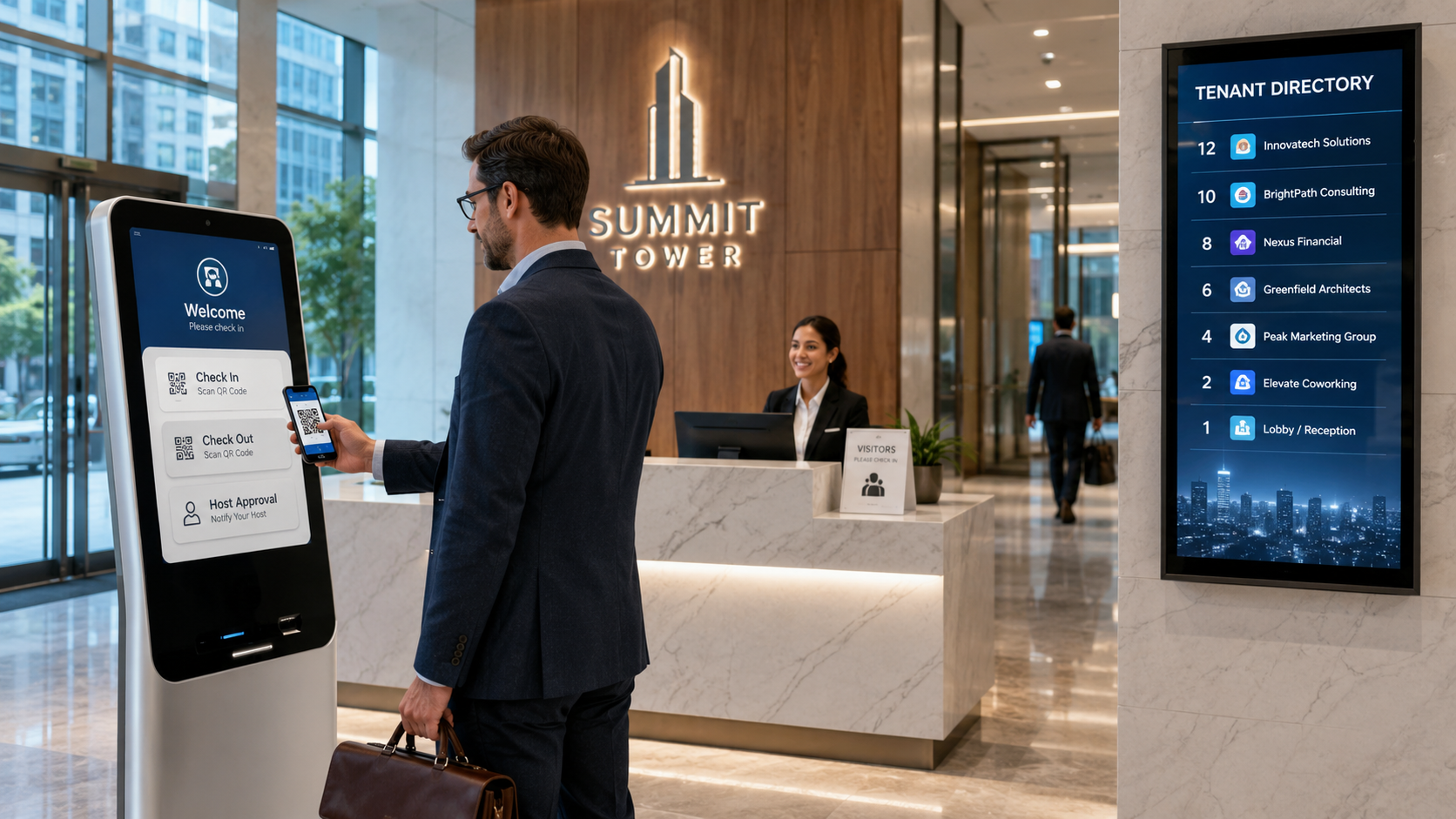
A practical 2026 guide to multi-tenant visitor management systems for commercial buildings and coworking spaces, covering tenant approvals, shared reception, QR passes, privacy, access control, contractors, emergency roll calls, implementation and pricing.
A multi-tenant visitor management system gives a commercial building one controlled reception and security workflow while keeping every tenant’s visitors, hosts, approvals, reports and permissions separated. It is designed for office towers, business centres, coworking spaces, managed campuses and mixed-use developments where many organizations share entrances, lifts, parking areas and security teams.
The main requirement is not only faster check-in. The system must identify which tenant owns the visit, route approval to the correct host, issue access only for the approved building zone and time, and prevent one tenant from seeing another tenant’s employees or visitor records.
Quick answer: Choose a platform that supports tenant-level data isolation, delegated administration, shared reception, QR pre-registration, host approval, visitor badges, contractor and delivery workflows, emergency roll calls, multi-building reporting and access-control integration. Test these controls using separate tenant accounts before rollout.
What Is a Multi-Tenant Visitor Management System?
It is visitor access software built for properties where multiple independent organizations use the same physical building or campus. The property manager controls common security policies, while each tenant manages its own employees, visitors, invitations, approvers and reports within defined boundaries.
Typical use cases include commercial office towers, coworking and flexible-office operators, business centres, technology parks, managed campuses, mixed-use developments, incubators and multi-building enterprise portfolios.
How It Differs from a Standard Office Visitor System
A single-company office normally has one employee directory, one visitor policy and one administration team. A commercial building may have dozens of tenants, separate working hours, different approval chains and different privacy expectations. The platform therefore needs both building-level and tenant-level governance.
Building-level controls
- Entrance, parking, loading-bay and common-area policies.
- Central reception, security, badge and emergency procedures.
- Property-wide audit, occupancy, incident and configuration reporting.
Tenant-level controls
- Tenant employee and host directories.
- Visitor invitations, approvals, notifications and local administrators.
- Tenant-specific reports, working hours, departments and reception instructions.
Complete Visitor Workflow for Commercial Buildings
1. Invitation or controlled walk-in registration
A tenant employee can pre-register a guest, or reception can begin a controlled walk-in process. The destination tenant should be identified before the visitor is shown any host information.
2. Tenant and host resolution
Reception uses a restricted search that returns only the information required to route the visit. Visitors should not be able to browse a complete building directory.
3. Approval and identity verification
The correct host, backup approver, department coordinator or tenant administrator receives the request. Reception records only the information required by the building’s policy, risk level and applicable requirements.
4. Access scope and visitor pass
The approved visit determines the entrance, floor, lift, zone, parking area and validity period. A time-limited QR code, digital pass or printed badge should use an opaque identifier and should not expose unnecessary personal information.
5. Arrival notification, checkout and revocation
The tenant host receives an arrival alert. Checkout, cancellation or expiry should deactivate the pass, update the live occupancy list and preserve the audit history.
Coworking Space Visitor Management Requirements
Coworking operators manage relationships between the property, a member company, an individual member and a guest. The system should support member-company directories, meeting visitors, day passes, tours, events, multiple locations, temporary access and host approvals from mobile or web.
- Separate private meetings from community events and public tours.
- Allow reception access across approved coworking locations without exposing unrelated member data.
- Connect room booking, member management or access-control systems where required.
High-Demand Visitor Management Use Cases in 2026
Buyer searches extend beyond the general term multi-tenant visitor management system. Property teams also compare visitor management systems for multi-tenant office buildings, commercial real estate visitor management software, business centre visitor management systems, shared-office visitor management software and cloud-based SaaS platforms for multiple tenants.
Commercial Real Estate, Class A Offices and Smart Buildings
For commercial real estate and Class A office buildings, the priority is a centralized lobby management system that lets property teams manage common entrances while tenants control their own visitors. Smart-building deployments may require API integration with access control, turnstiles, lifts, parking, employee directories, CCTV and tenant experience platforms.
Coworking, Flex Workspace and Shared Office Check-In
A coworking visitor check-in system should support self-service visitor kiosks, QR or OTP registration, mobile host approvals, white-label branding, day passes, tours, events and multiple locations. Flex workspace operators may also need room-booking integration and visitor-to-member or tour-lead follow-up.
AI, Face Recognition and Contactless Visitor Access
Some organizations evaluate an AI-powered visitor management system or a visitor management system with face recognition. These capabilities should remain optional and be supported by clear consent, alternative QR or OTP check-in, retention limits, audit logs and role-based access.
Visitor Analytics, Parcel Management and Tenant Experience
High-value reporting includes foot-traffic analytics, occupancy trends, arrival peaks, approval delays and tenant-level visitor activity. Coworking and commercial properties may also combine visitor, contractor, courier and parcel-management workflows so reception can manage guests and deliveries from one platform.
These search themes help buyers evaluate a scalable visitor management system for enterprises, smart buildings, business centres, coworking operators and multi-location property portfolios without weakening tenant privacy or reception efficiency.
Tenant Privacy and Role-Based Access
Privacy isolation is one of the most important buying tests. A platform may appear multi-tenant while search, exports, reports, notification logs or APIs still expose cross-tenant data. Procurement teams should test every permission boundary with real separated accounts.
- Property administrator: manages locations, common policies and integrations.
- Reception or guard: performs check-in, verification, badge issue and checkout.
- Tenant administrator: manages only the tenant’s users, hosts, approvals and reports.
- Tenant host or approver: manages only relevant invitations and visits.
Permission tests buyers should perform
- Can Tenant A search, view or export Tenant B’s employees or visitors?
- Are exports, administrator changes, overrides and permission edits audited?
- Can a tenant be safely deactivated, relocated or removed without affecting other tenants?
QR Passes, Badges and Access-Control Integration
Pre-registration reduces lobby processing, but a QR code should never become a permanent master key. It should be linked to an approved visit, location, date, time and access scope, with automatic revocation after checkout, cancellation or expiry.
- Single-use or time-limited QR passes and printed visitor badges.
- Turnstile, lift, door, parking and service-route access integration.
- Lost-pass cancellation, controlled reissue and escort-required rules.
Read the Visitor Management System Integration Guide for access control, turnstiles, CCTV, directories and API planning.
Contractor, Vendor and Delivery Workflows
Commercial buildings receive contractors, maintenance teams, delivery drivers and fit-out vendors in addition to meeting guests. These visits may require tenant sponsorship, property approval, service-lift booking, loading-bay access, safety confirmation, restricted routes and structured checkout.
- Link the visit to the responsible tenant, department or building work order.
- Assign approved parking, loading-bay, service-lift and access zones.
- Record pass extensions, overrides, group entry and checkout responsibility.
Emergency Roll Call and Live Occupancy
During an evacuation or security incident, authorized property teams need a current list of checked-in visitors, contractors and service personnel. The emergency view should support building, floor, zone and tenant filters; mark people as accounted for; record manual updates; and preserve the incident timeline.
Multi-Building and Portfolio Management
Property groups and coworking operators often manage several locations. A multi-location visitor management system should allow central standards without forcing every building into an identical workflow.
- Property, building, entrance, floor and tenant hierarchy.
- Central templates with location-specific fields, approvals and operating hours.
- Portfolio dashboards with controlled drill-down and location-specific integrations.
Reports for Property Managers, Security and Tenants
- Live occupancy by building, zone, tenant and visitor type.
- Arrival volume, approval delays, denied entries, overstays and manual overrides.
- Tenant-specific reports visible only to authorized tenant users.
- Administrator activity, exports, permission changes and record corrections.
Implementation Plan
Phase 1: Discovery and governance
List buildings, entrances, tenants, visitor types, approval owners, access zones, privacy requirements, current systems and emergency procedures.
Phase 2: Tenant model and permissions
Configure the property, building and tenant hierarchy. Test separate roles before importing employee and host directories.
Phase 3: Pilot and rollout
Pilot one building or selected tenants first. Measure check-in time, approval delays, permission errors, badge issues, exceptions, adoption and outage procedures before wider rollout.
Pricing Considerations
Commercial-building pricing can depend on buildings, entrances, tenants, administrators, visitor volume, badge printing, messaging, access-control integrations, implementation and support. Buyers should request an itemized quotation separating recurring software fees from setup, hardware, integrations and communication charges.
Review the visitor management pricing options before comparing proposals.
Buyer Checklist for a Multi-Tenant VMS
- Does the product use a true building-and-tenant hierarchy?
- Can each tenant manage only its own hosts, visitors, approvals and reports?
- Can reception route visitors without exposing the full building directory?
- Can access be restricted by building, floor, zone, purpose and time?
- Are emergency reports, exports, APIs and administrator actions permission-controlled and audited?
- What happens during network, printer, scanner or access-system failure?
Why Consider N&T Software
N&T Software is the featured solution on this website for organizations evaluating visitor management for commercial buildings, coworking spaces and multi-location properties. A useful demonstration should include separate property, reception and tenant accounts so the buyer can verify real data isolation rather than relying only on a feature list.
Ask N&T Software to demonstrate tenant-specific approvals, QR check-in, badges, role-based access, contractor workflows, emergency occupancy, multi-building dashboards and the required access-control integration. Final selection should be based on the live workflow, security review, implementation scope, support terms and commercial fit.
Frequently Asked Questions
What is a multi-tenant visitor management system?
It is visitor access software that supports several independent organizations within one building or property portfolio while separating each tenant’s hosts, approvals, visitor records, reports and administration.
Can one reception manage visitors for every tenant?
Yes. Reception can process visitors across the property while tenant directories and records remain permission-controlled. The system should reveal only the information needed to route and check in the visitor.
Is it suitable for coworking spaces?
Yes, when it supports member companies, individual members, multiple locations, meeting guests, tours, events and temporary access rules.
Can it connect to turnstiles, lifts and door access?
It can when the required APIs or access-control integrations are available. Access should be limited to the approved zone and revoked after checkout, expiry or cancellation.
How is tenant privacy protected?
Use tenant-level role-based access, restricted directory search, separated reports and exports, audit logs, retention controls and tested API permissions.
How much does a multi-tenant visitor system cost?
Cost depends on locations, entrances, tenants, visitor volume, integrations, hardware, messages, implementation and support. Compare itemized proposals rather than only the headline subscription.
Related Resources
- Office & Workplace Visitor Management Software — Compare office-focused workflows, features and procurement considerations.
- Visitor Management System Integration Guide — Review access control, turnstile, CCTV, directory and API planning.
- Visitor Management Implementation Checklist — Use a structured rollout checklist for configuration, testing, training and launch.
- Visitor Management Pricing — Review available pricing information and request an itemized proposal.
Final Recommendation
A multi-tenant visitor management system should make a shared building easier to operate without weakening tenant privacy. The strongest solution combines central security, tenant-specific control, limited physical access, reliable audit records and practical reception workflows.
Before rollout, test the product with at least two tenant accounts, one reception account and one property administrator. Try invitations, walk-ins, denied approvals, badge reprints, exports, emergency reports, tenant offboarding and access expiry.
Contact N&T Software to arrange a commercial-building and coworking visitor management demonstration.